Yacht Buyer Matching, Run by the Buyer’s Own Saved Search.
A buyer wanted a 42′ trawler six months ago. One just came in. If they saved that search on your website, it is in their inbox the next morning without anyone remembering to send it. When they come back to look, the broker who owns the contact gets an email within the hour.
- Saved searches, favorites, price-drop alerts
- One email a day, never one per boat
- Full Platform · $850 a month
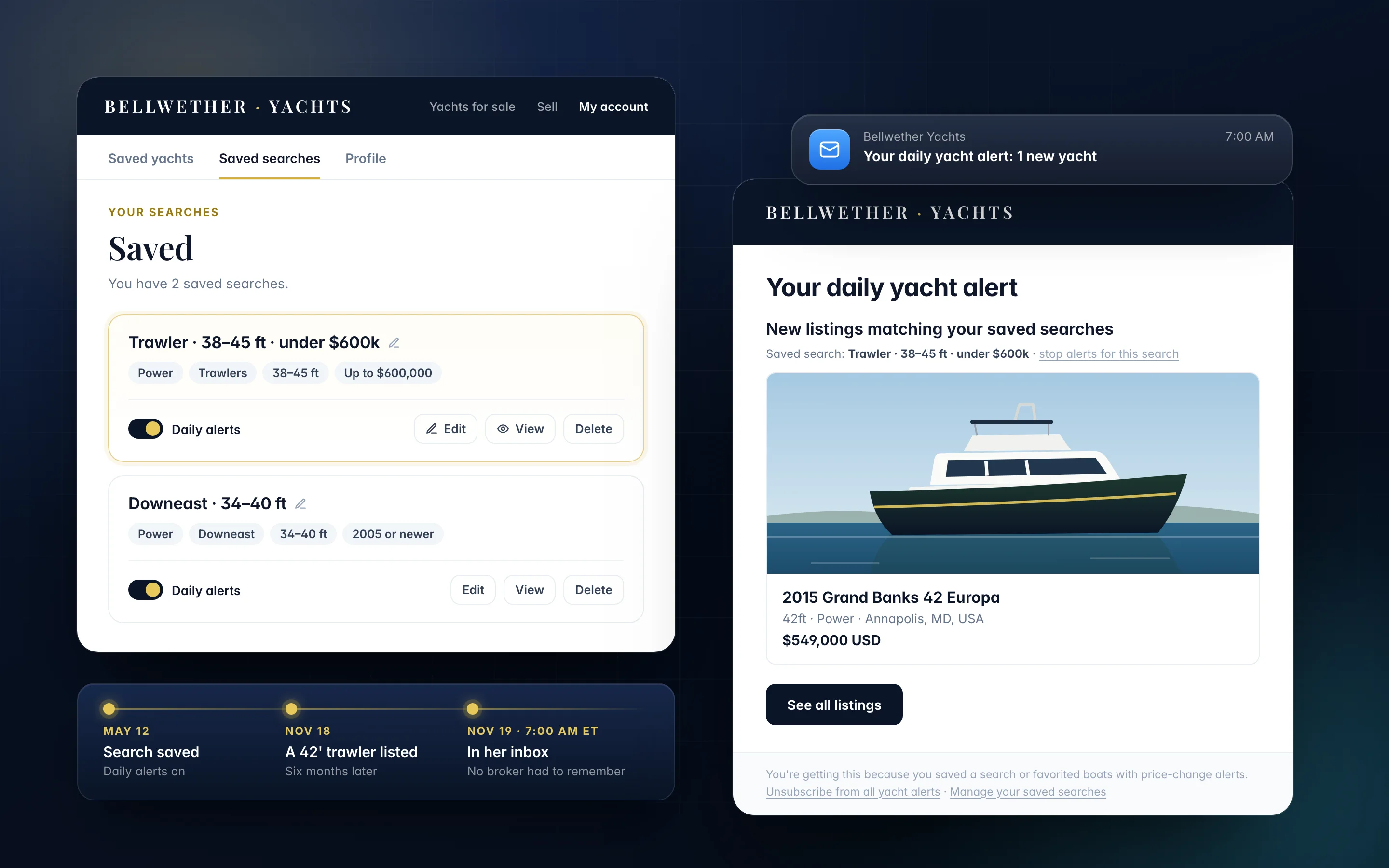
The match nobody had to remember.
Most buyers who don’t buy this month aren’t gone. They’re waiting for the right boat. The usual way to catch them is a note in someone’s head or a spreadsheet tab. This way the buyer leaves the note, and the website reads it every day.
- May 12
She saves a search
Power, Trawlers, 38–45 ft, up to $600,000. One button on your listings page, and a free account so the search has somewhere to live. The account lands in your CRM as a contact.
- May 12
She favorites three boats
And switches on “Email me if the price drops” for two of them. None of the three is quite right yet.
- Nov 18
A 2015 Grand Banks 42 is listed
It arrives the way every boat does, through your feed or your admin. Nobody tags it for anyone or digs out a note from May.
- Nov 19 · 7:00 AM ET
It is in her inbox
“Your daily yacht alert: 1 new yacht.” The boat sits under the search that found it, with photo, length, location and price.
- Nov 19 · 8:20 AM
She is back, and her broker knows
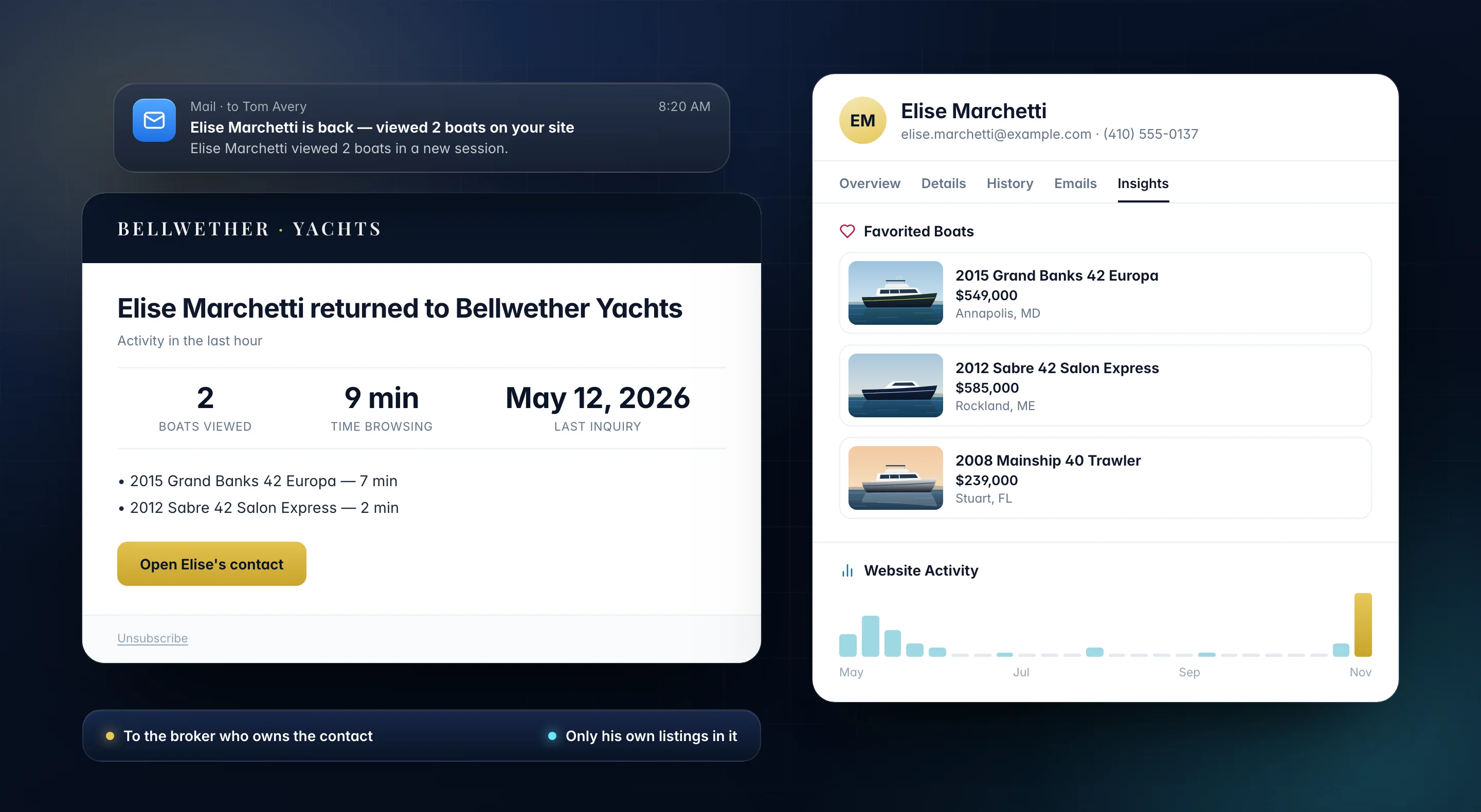
She opens the listing. At the next hourly check the broker who owns her contact gets “Elise Marchetti is back — viewed 2 boats on your site”.
Four things a buyer can do instead of leaving.
Each one is a reason to come back to your site rather than a portal, and each one tells your brokers what the buyer actually wants.
Save this search
Any set of filters on your listings page becomes a named search with daily alerts. Buyers can rename it, edit the filters, pause alerts or delete it.
Favorite a boat
One tap on a listing. Saved yachts live on the buyer's account, and on the contact's Insights tab in your CRM as Favorited Boats.
Email me if the price drops
A switch on each favorite. When the asking price comes down, the drop goes into the next daily alert.
Compare and recently viewed
Up to three boats side by side, spec by spec, and a strip of the boats they looked at last, kept in their browser.
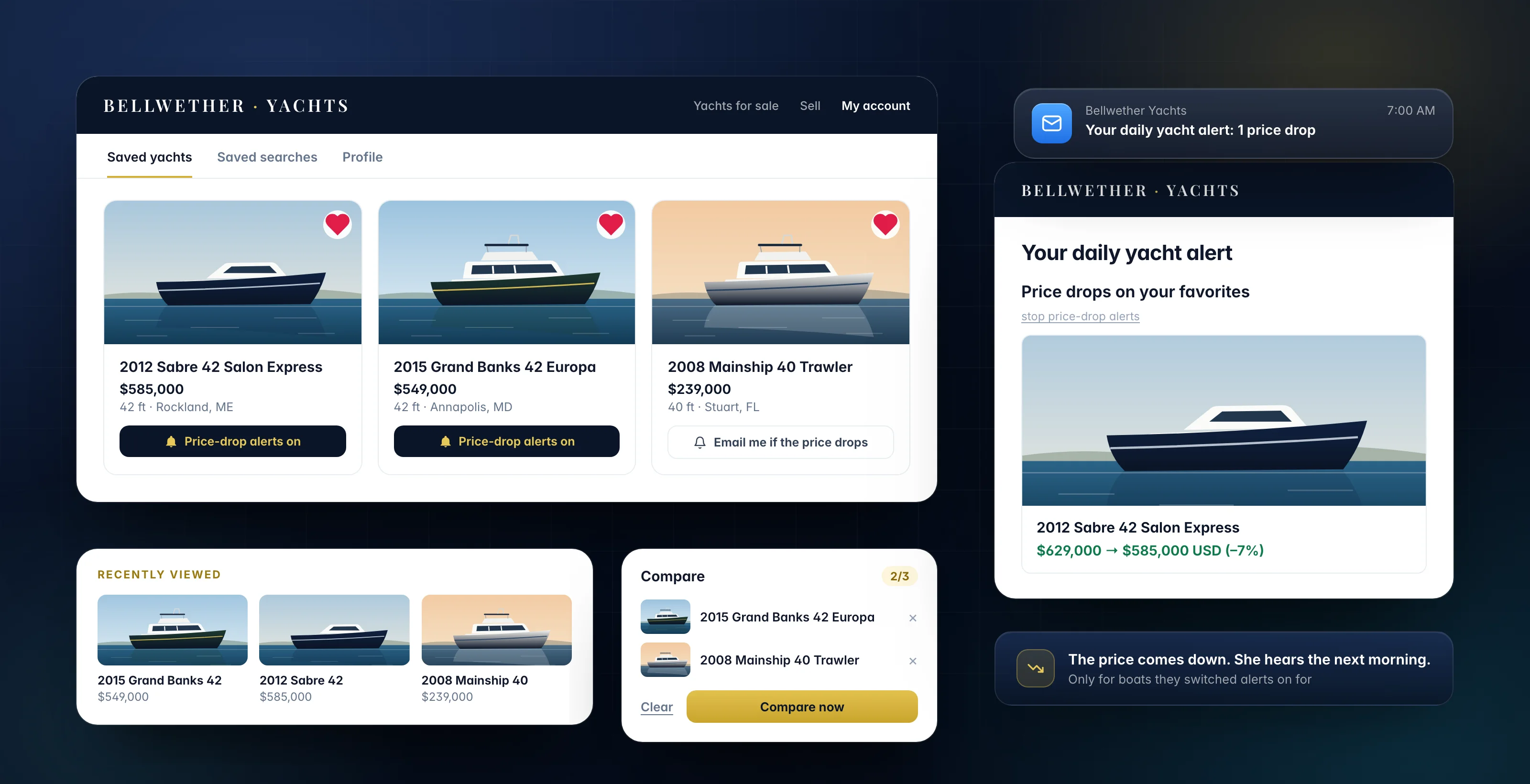
One alert a day, in your brand.
Sent from your brokerage with your logo, linking back to your listing pages. It is a reply to something the buyer asked for, which is why it gets opened.
The FTC’s CAN-SPAM compliance guide says opt-out requests must be honored within 10 business days. These take effect as soon as the buyer confirms.
- When
- Once a day. The run starts at 12:00 UTC: 7 AM Eastern in winter, 8 AM in summer.
- Subject
- “Your daily yacht alert: 1 new yacht, 1 price drop”
- New matches
- Boats added or changed since the last run that fit a saved search, grouped under that search. Up to ten each, then “+ 6 more matches”.
- Price drops
- “$629,000 → $585,000 USD (–7%)” for favorites with alerts on. Up to ten, then a link to the rest.
- Quiet days
- Nothing new, no email.
- Opt-outs
- Stop alerts for this search · Stop price-drop alerts · Unsubscribe from all yacht alerts · Manage your saved searches.
When an old buyer comes back, their broker hears first.
A buyer reading your alert at breakfast is the warmest lead you will get all week. The returning-contact email puts their name in front of the right broker while they are still looking.
- 01
Only known contacts
Someone becomes known by sending an inquiry or creating an account. Anonymous visitors never trigger it, and your own brokers and staff are ignored.
- 02
A new visit, not the same one
The alert fires on a visit that starts after they identified themselves, when they look at boats. Checked every hour.
- 03
To the broker who owns the contact
With only that broker's own listings in it. If she looked only at a colleague's boats, he hears nothing; with no owning broker, the admins get the full picture.
- 04
Once a day at most
One email per contact per person per day, however many times she comes back.
We switch the returning-contact alert on per brokerage, and each broker can unsubscribe from it. It reads the same website activity that sits on the contact as a record of who introduced the buyer.
What a saved search can and can’t match.
A saved search remembers the filters on your listings page, exactly as the buyer set them. That keeps the daily email predictable, and it sets the limits.
Matches on
- Power or sail
- Category (Trawlers, Downeast, Catamaran…)
- Make and model
- Length range
- Price range, in USD or CAD
- Year range
- New or used
- City, state or province, country
- A word in the make, model or boat name
Doesn’t read
- Words in the description, like “stabilizers” or “shoal draft”
- Equipment lists and notable upgrades
- A photo of a boat the buyer liked
For those, buyers can ask in a sentence or upload a photo: natural-language boat search.
Follow yachts, saved searches, compare and recently viewed, plus the automated digests and hot-lead alerts, are part of the Full Platform at $850 a month. More on the site itself on the website product page.
Everything Else You Might Ask.
How do yacht brokers match buyers to new listings automatically?
Let the buyer write the match down. On your website a buyer sets the filters they care about (power or sail, category, make, length, price, year, location) and saves the search. Every day the saved searches are run against the boats added or changed since the last run, and each buyer gets one email with the boats that fit.
Nobody in the office has to remember who wanted what, retag the new listing, or send it by hand. The match is the buyer's own words, so it is also the buyer's own consent to hear about it.
What does a buyer need to save a search or get a price-drop alert?
A free account on your website: full name, email and a password. The first time they press Save this search or favorite a boat, the sign-in box opens, and once they are in they land back where they were. Signing up creates a contact in your CRM and links it to the browsing that came before, so the account is a lead as well as a login.
How often do buyers get these emails?
At most once a day. The run starts at 12:00 UTC, which is 7 AM Eastern in winter and 8 AM in summer. Every saved search and every price drop for that buyer goes into the same email, under the subject “Your daily yacht alert”, followed by what is in it, for example “2 new yachts, 1 price drop”.
On a day with nothing new there is no email. A search with a lot of matches shows the first ten and a link to the rest on your site.
Which price changes send an alert?
A reduction, on a boat the buyer has favorited and switched alerts on for (“Email me if the price drops”). The email shows the old price, the new price and the change, for example “$629,000 → $585,000 USD (–7%)”. Price increases send nothing, and neither does a change recorded in a currency other than the one the boat is listed in.
Does the broker find out when an old buyer comes back to the website?
Yes, once the brokerage has the alert switched on. Someone becomes a known contact by sending an inquiry or creating an account. Every hour we look for known contacts who have started a new visit and looked at boats, and email the broker who owns the contact: “Elise Marchetti is back — viewed 2 boats on your site”, with the boats, the time spent and the date of their last inquiry, and a button that opens the contact.
It goes out at most once a day per contact for each person who receives it, and visits from your own staff and brokers are ignored. Recognition goes by browser, so a buyer on a new phone or with cleared cookies looks like a new visitor until they identify themselves again, for example with another inquiry.
Will a broker be told about buyers looking at someone else's listings?
No. When the contact belongs to a broker, that broker's email lists only the boats he or she lists, and if the buyer only looked at other brokers' boats, no email is sent. When the contact has no owning broker, or that broker has no login, the alert goes to the brokerage's admins, who see everything the buyer viewed.
Can buyers stop the emails?
Yes, at three levels, each one a link in every email: stop alerts for one saved search, stop price-drop alerts, or unsubscribe from all yacht alerts. Each opens a one-button confirmation and takes effect as soon as they confirm. Buyers can also switch daily alerts off, rename, edit or delete a search on their Saved searches page.
For reference, the FTC's CAN-SPAM compliance guide says a recipient's opt-out request must be honored within 10 business days. This is general information, not legal advice.
Does it match boats that come in from our listing feed?
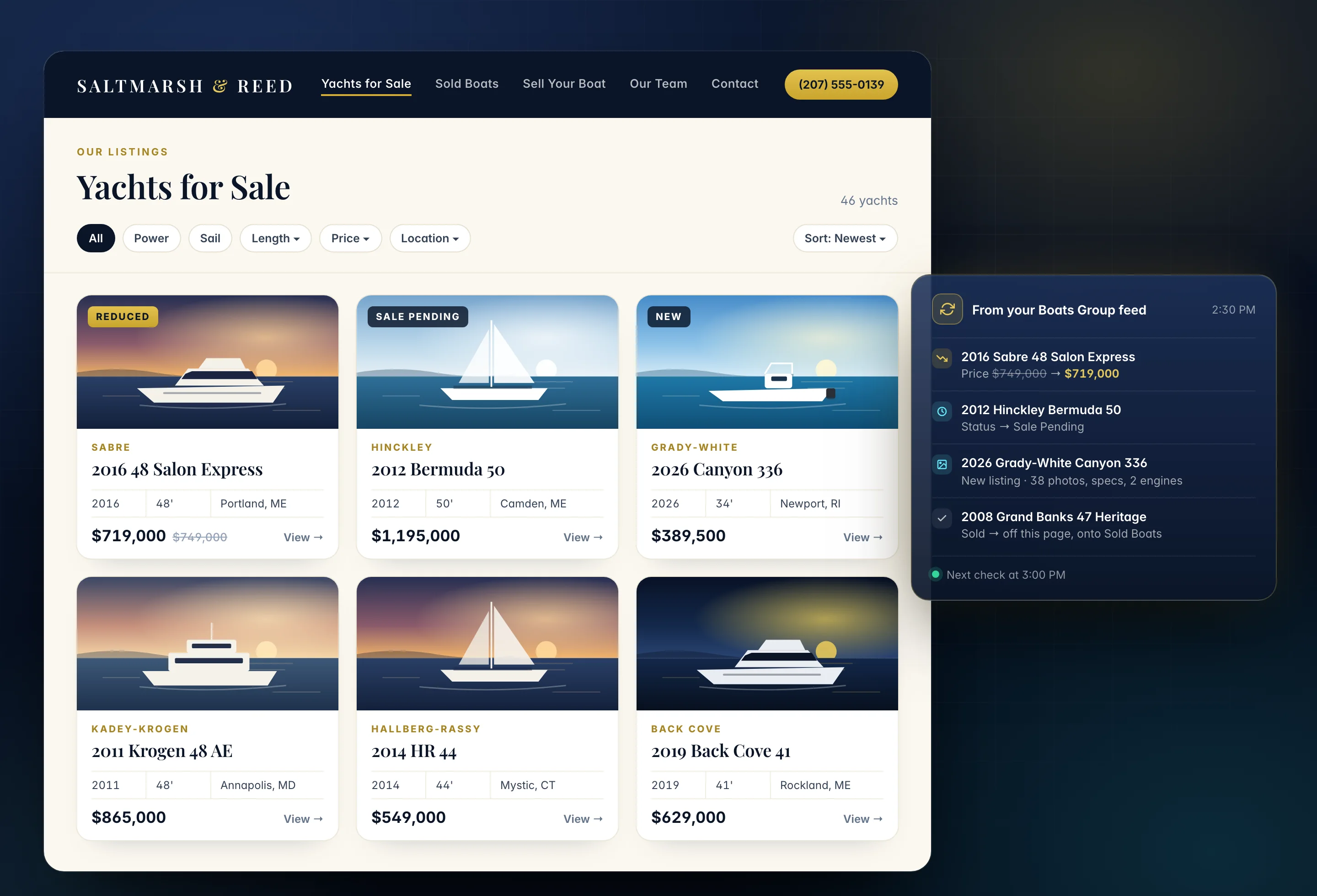
Yes. A saved search runs against the boats your website shows, whether it arrived through a feed or was added in the admin. The search is matched on the fields a buyer can filter by on your listings page; it does not read the listing description, so a word like “stabilizers” is not something a saved search can look for.
Which YachtOne plan includes buyer matching?
The Full Platform, at $850 a month. It includes follow yachts, saved searches, compare and recently viewed for your visitors, and the automated digests and hot-lead alerts, including the returning-contact email. The Website ($350) and Website + CRM ($500) plans do not include them.
More problems we solve
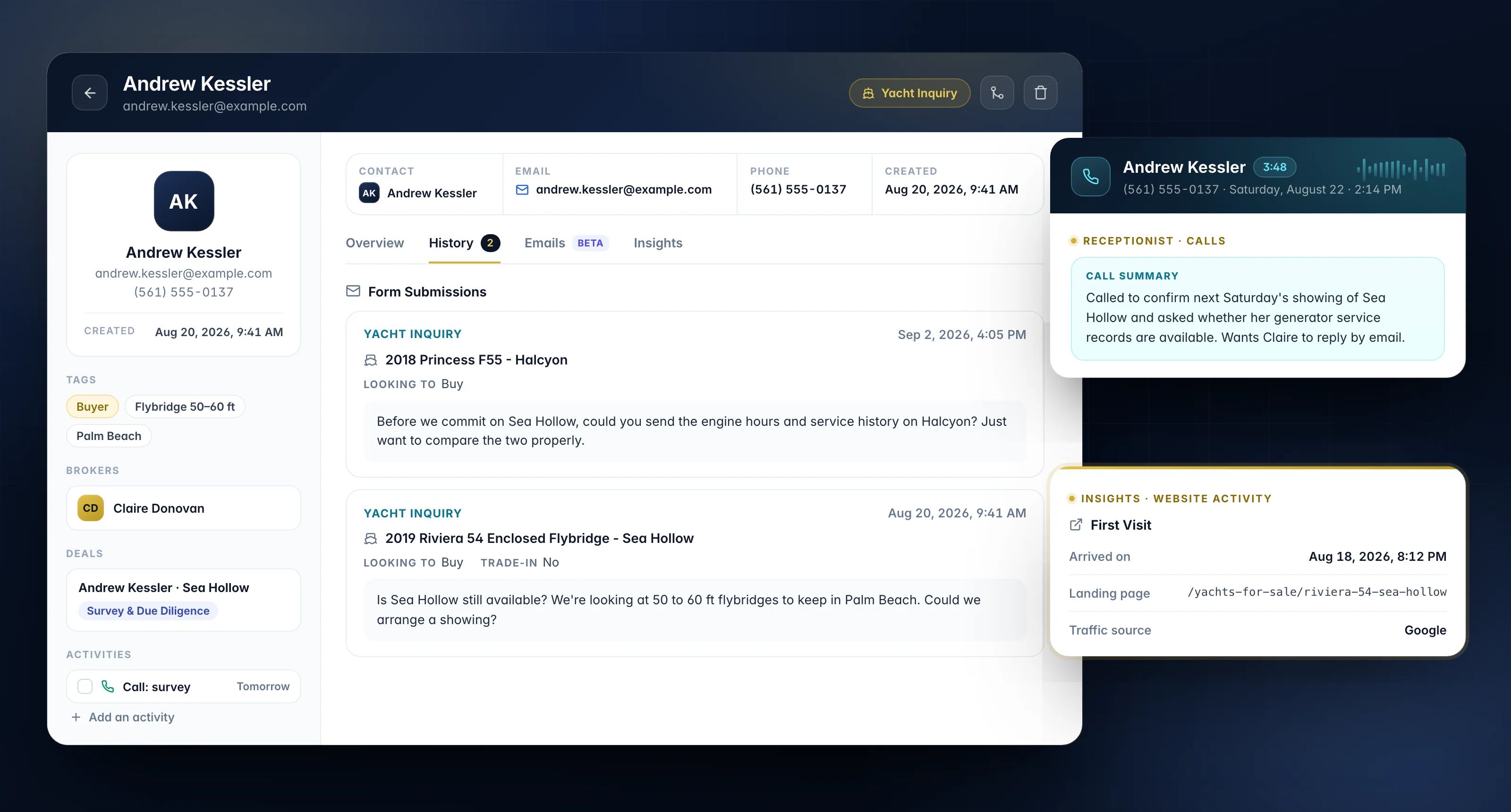
Welcome to the First End-to-End Yacht Sales Operating System
We've built the only platform designed specifically for how yacht sales actually happen. From the moment a visitor lands on your site—they never leave your ecosystem.