Switch Yacht CRMs Without Losing a Single Client.
Your clients are in BoatWizard, YATCO, YachtCloser, HubSpot, Outlook, Mailchimp and on a few brokers’ phones. Export each to CSV or Excel and they come together in one contact list: columns mapped, duplicate rows merged, notes kept, and every client back with the broker who owns them.
- Excel or CSV, read in your browser
- Nothing is created until you confirm
- We do the import with you
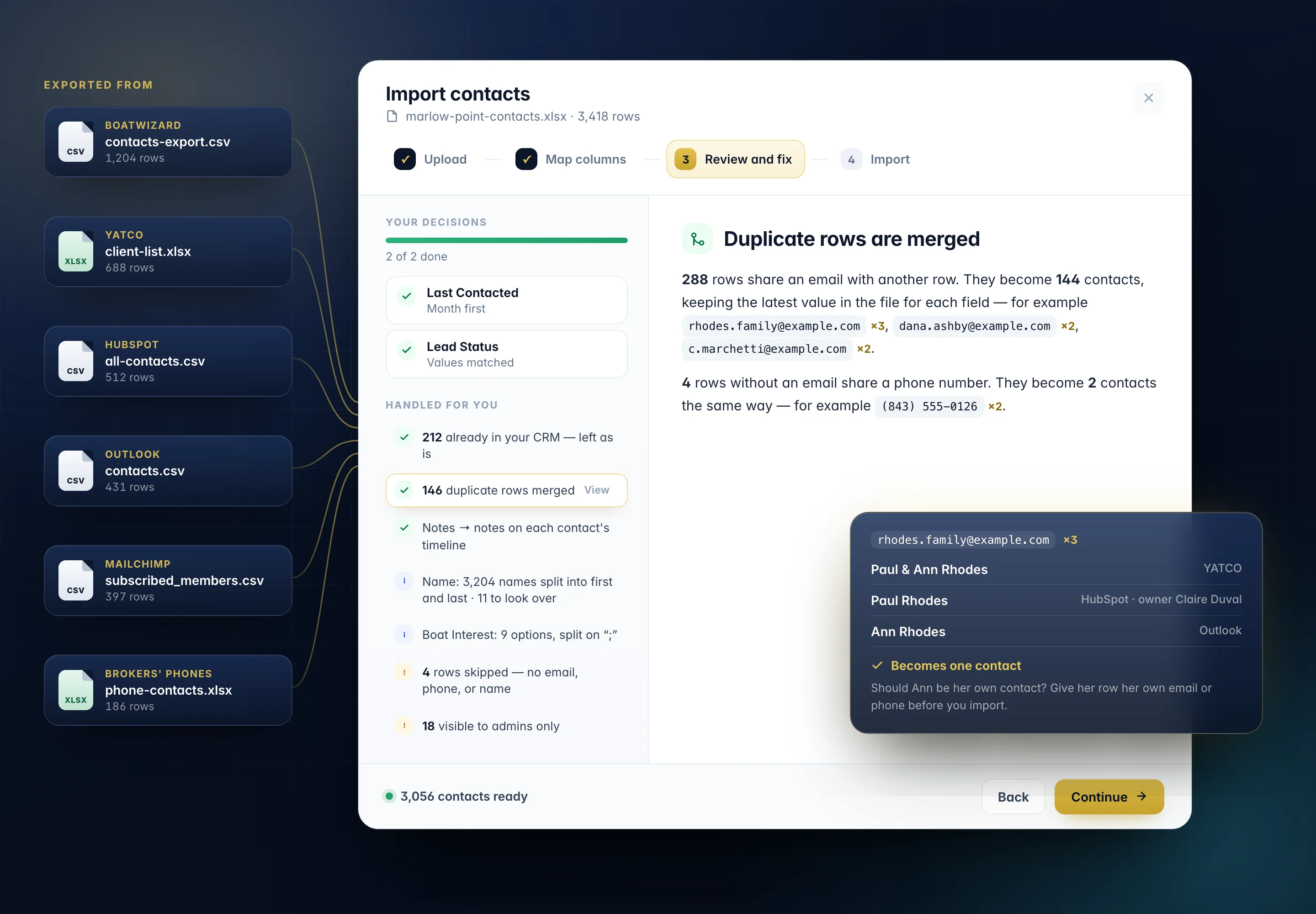
Wherever your clients are now, a spreadsheet gets them out.
There is no special connector to wait for. Every system below can give you a CSV or Excel file, and the importer reads the column names, whatever system wrote them.
BoatWizard
Export your contacts to CSV or Excel.
Watch forBoat interests often sit in free-text notes. Map that column to Notes and it lands on each contact's timeline; a column that holds a list, such as “Trawler; Long-range”, can become a multi-select field you can filter on.
YATCO
Export your client list to CSV or Excel.
Watch forOwners, buyers and captains in one list? Keep the column that says which is which. It comes in as a field of its own, so you can still tell them apart.
YachtCloser
Export your clients to CSV.
Watch forThe import brings in people, their details and notes. Deals and signed documents are a separate conversation, which we have with you as part of the move.
HubSpot
Export contacts from your contacts list.
Watch forThe “Contact owner” column is recognised and matched to your brokers by email address or full name. Anyone it can't match is listed for you to assign.
Outlook
Export your contacts to a CSV file.
Watch forAn inbox is full of marinas, yards and surveyors. Delete those rows first: every row with an email, a phone or a name comes in.
Mailchimp
Export your audience.
Watch forSubscribed, unsubscribed and cleaned (bounced) addresses come out as separate files. Pick which ones you want before you import.
Spreadsheets & phones
Put them in one sheet, one row per person.
Watch forAdd a column for the broker each client belongs to and map it to Owner. Every broker keeps their own clients.
Before you export: a five-point check
- One row per person, with the column names in the first row.
- A column for the broker who owns each client: their email address or full name.
- Suppliers, marinas and yards taken out.
- Couples who share an email: decide whether they are one contact or two.
- Dates like 03/04/2025 can be read two ways. The importer asks which order your file uses.
You see every decision before anything is created.
- 1
Upload
An Excel (.xlsx) or CSV file. It is read in your browser and the file itself is never uploaded. A CSV saved by an older Windows program is read correctly too.
- 2
Map columns
Email, phone, name, address, owner and notes columns are matched automatically, and a single Name column is split into first and last name. A column with no matching field becomes a new one only when you say so.
- 3
Review and fix
What the importer did for you is listed with examples: duplicate rows merged, contacts already in your CRM left unchanged, rows with no email, phone or name skipped. Anything it can't decide, it asks.
- 4
Import
One confirmation with the totals. Contacts go in batches of 50 that either land whole or not at all, and are tagged Source: Imported so you can find every one of them.
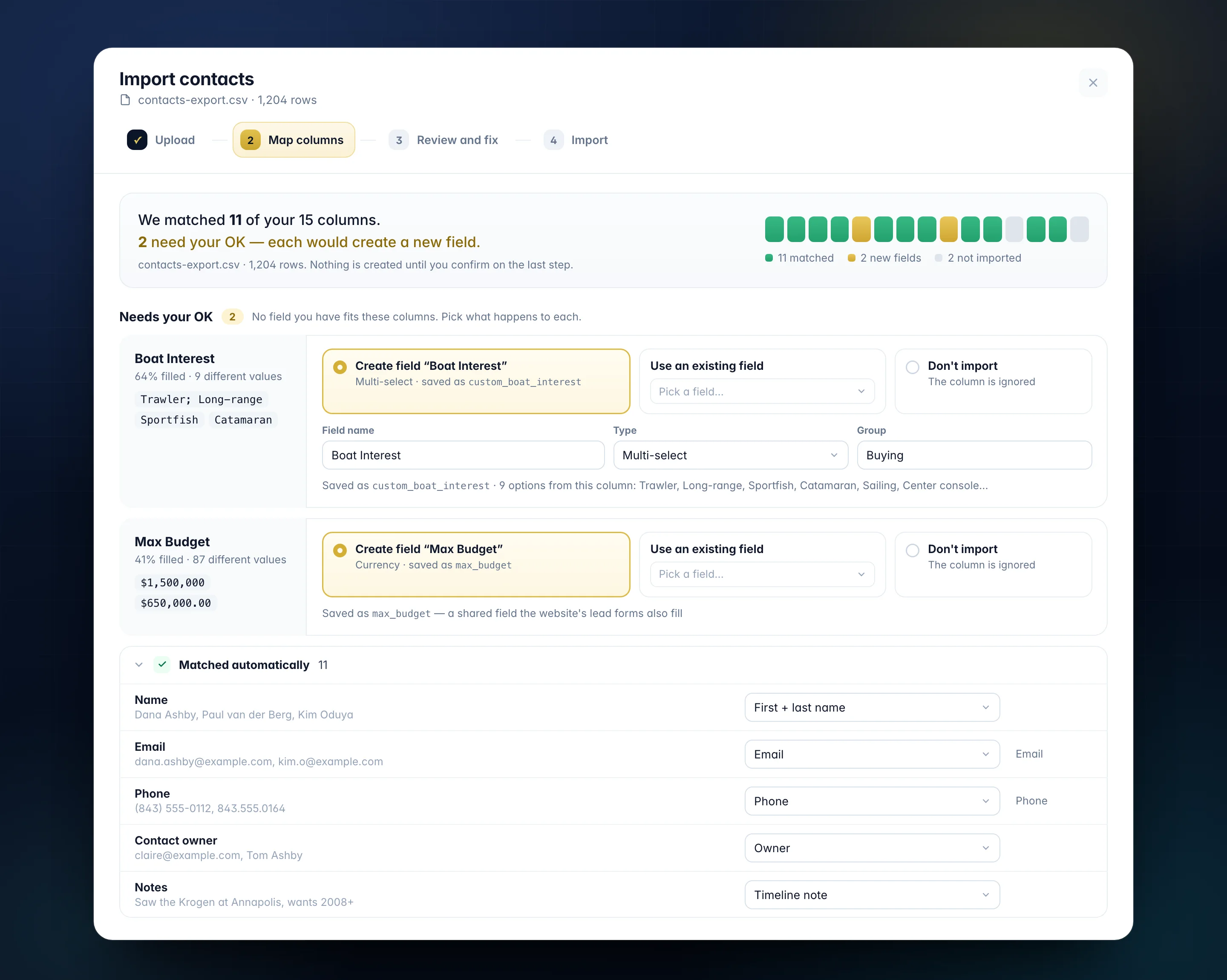
The three duplicates every brokerage has.
Twenty years of exports means the same people, more than once. Here is exactly how each kind is handled, so nothing surprises you after the import.
- Case 1
The same client in two exports
Your BoatWizard export and your Mailchimp list both have dana.ashby@example.com. Rows that share an email become one contact, with the latest value in the file for each field and the notes from every row. If that address is already in your CRM, the contact is left as it is.
- Case 2
A couple on one email
An email address belongs to one contact, so Paul and Ann on rhodes.family@example.com become one. If each needs their own record, give each their own email before you import, or leave it off one row so that row stands on its phone number. Phones never merge people who have an email: households and offices share lines.
- Case 3
One buyer, two addresses
James wrote from his work address, Jim from his personal one. No importer can know they are the same man. After the import you merge them: both addresses and both numbers are kept on one contact, and everything either of them did moves with him.
Two records, one client.
A contact can hold several email addresses and phone numbers, each with a label like Work, Home or Mobile, and a lead or an email from any of them finds the same person.
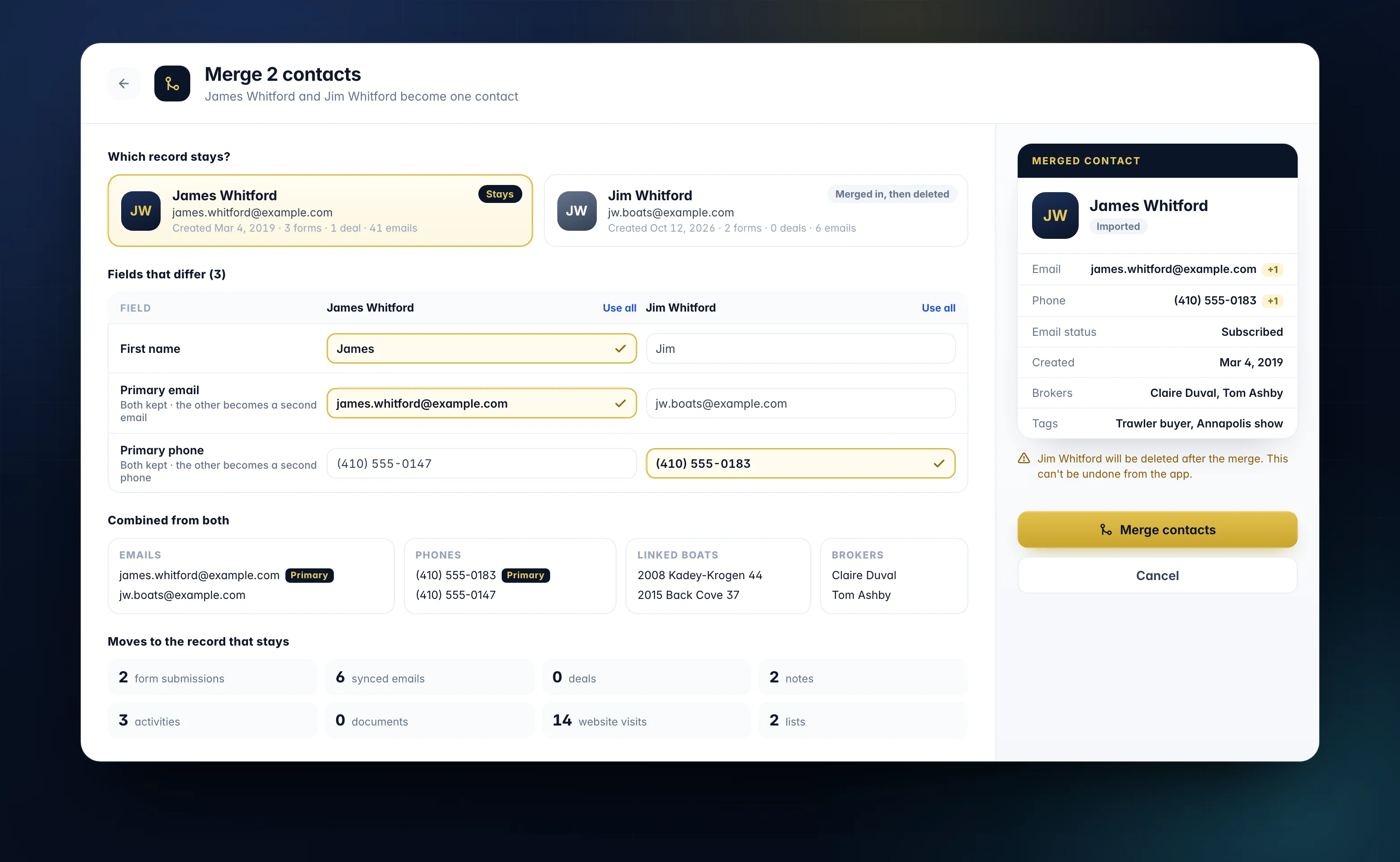
Pick the record that stays
It keeps its ID and created date, so every link to it keeps working.
Pick each value
Side by side, field by field. Emails and phones from both are kept, with one marked primary.
Everything moves
Form submissions, synced emails, deals, notes, activities, documents, website visits and lists.
An opt-out always wins
If either contact had unsubscribed, the merged contact stays unsubscribed.
Merging is for admins, two contacts at a time, and cannot be undone from the app.
One list, and it stays yours.
Every client back with their broker
The owner column puts each contact with the right broker. On the Full Platform each broker has their own login and sees only their own clients, and nobody can delete or export the database.
The Yacht CRMNobody gets an email they didn't expect
Imported contacts are not sent to Mailchimp, Constant Contact or HubSpot, so moving an old list never subscribes anyone. New leads sync as usual.
IntegrationsAnd if you ever leave
You take all of it with you: contacts, deals, notes and history. No exit fee, no penalty.
Plans and pricing
Everything Else You Might Ask.
How do we switch yacht CRMs without losing contacts?
Export everything you have to CSV or Excel: the old CRM, Outlook, Mailchimp, the spreadsheets, and the contacts on each broker's phone. Then bring each file in through the import in YachtOne's contacts screen, or send them to us and we will do it with you.
The import matches your columns to YachtOne's fields, merges rows that share an email, leaves contacts already in your CRM untouched, and shows you all of it before anything is created. Nothing is lost quietly: rows it cannot import are counted and listed, with examples.
Can we import contacts from BoatWizard, YATCO or YachtCloser?
Yes, from an export. There is no live connection to those systems: you export your contacts to a CSV or Excel file and import that file. The same goes for HubSpot, Outlook, Mailchimp and any spreadsheet.
The importer reads the column headers, so it does not need a special format for each system. Email, phone, name, address, owner and notes columns are matched automatically, and anything else becomes a new field only if you say so.
How does the import handle duplicate contacts?
Rows that share an email address become one contact. For each field it keeps the latest value in the file, and notes from every row are kept on the contact's timeline. Rows with no email are matched on their phone number instead.
An email that is already on a contact in your CRM, as its main address or as a second one, is left as it is. It is not overwritten and not duplicated. The review step lists every merge and every existing contact, with examples, before you import.
Two clients share one email address. What happens?
In YachtOne an email address belongs to one contact, so two rows with the same email, such as a couple who share a family address, become one contact.
If each of them needs their own record, give each their own email before you import, or leave the email off one row so that row is identified by its own phone number. Phone numbers are never used to merge people who have an email, because households and offices often share a line.
Can one contact have several email addresses and phone numbers?
Yes. A contact can have several of each, each with an optional label such as Work, Home or Mobile, and one marked as primary. A lead form, a guest sign-up or a synced email that arrives from any of those addresses finds that contact instead of creating a new one.
Extra email and phone columns in an import come in as fields on the contact rather than as extra addresses. Adding an address to the contact is a deliberate step, because a wrong second address would send that person's future leads and emails to the wrong client.
How do we merge two contacts that are the same person?
Open either contact and choose to merge it with the other. You pick which record stays, which keeps its ID and created date so links to it keep working. Then you pick a value for each field that differs, and both email addresses and both phone numbers are kept.
Form submissions, synced emails, deals, notes, activities, documents, website visits and lists all move to the record that stays. If either contact had unsubscribed, the merged contact stays unsubscribed. Merging is for admins, two contacts at a time, and cannot be undone from the app.
Will each broker keep their own clients?
Yes, if your file says who owns whom. A column such as HubSpot's “Contact owner” is matched to your brokers by email address or by full name. Anything it cannot match is listed for you to assign, and contacts without an owner are visible to admins only.
On the Full Platform every broker has their own login and sees their own contacts, deals and leads, and nothing else. Brokers cannot delete or export the database.
Will imported contacts be added to our Mailchimp list?
No. Contacts brought in through an import are not sent to your email marketing tool, so importing an old list does not subscribe anyone to Mailchimp, Constant Contact or HubSpot. New leads that arrive later through your website and the marketplaces sync as usual.
Can we bring across deals and documents too?
The contact import brings in contacts, their fields and their notes. Open deals, documents and anything else you want to keep, we look at with you and bring across as part of moving you over.
What does it cost, and do you charge for the import?
The CRM comes with the Website + CRM plan at $500 a month. Deal pipelines and a private login for every broker come with the Full Platform at $850 a month.
We do the import work with you. If something is genuinely unusual we will talk it through first and it may cost extra, but so far we have never charged anyone for an import.
More problems we solve
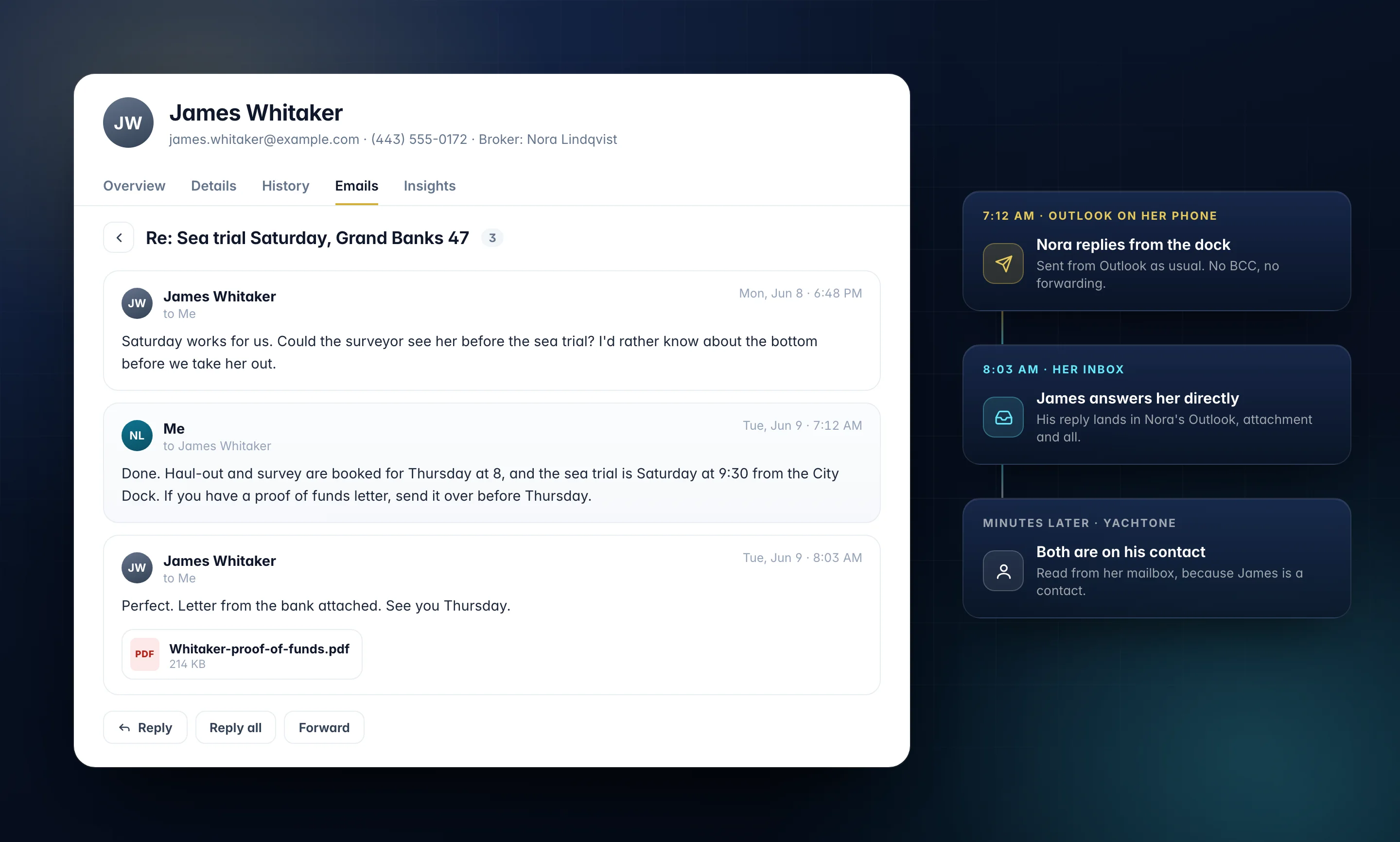
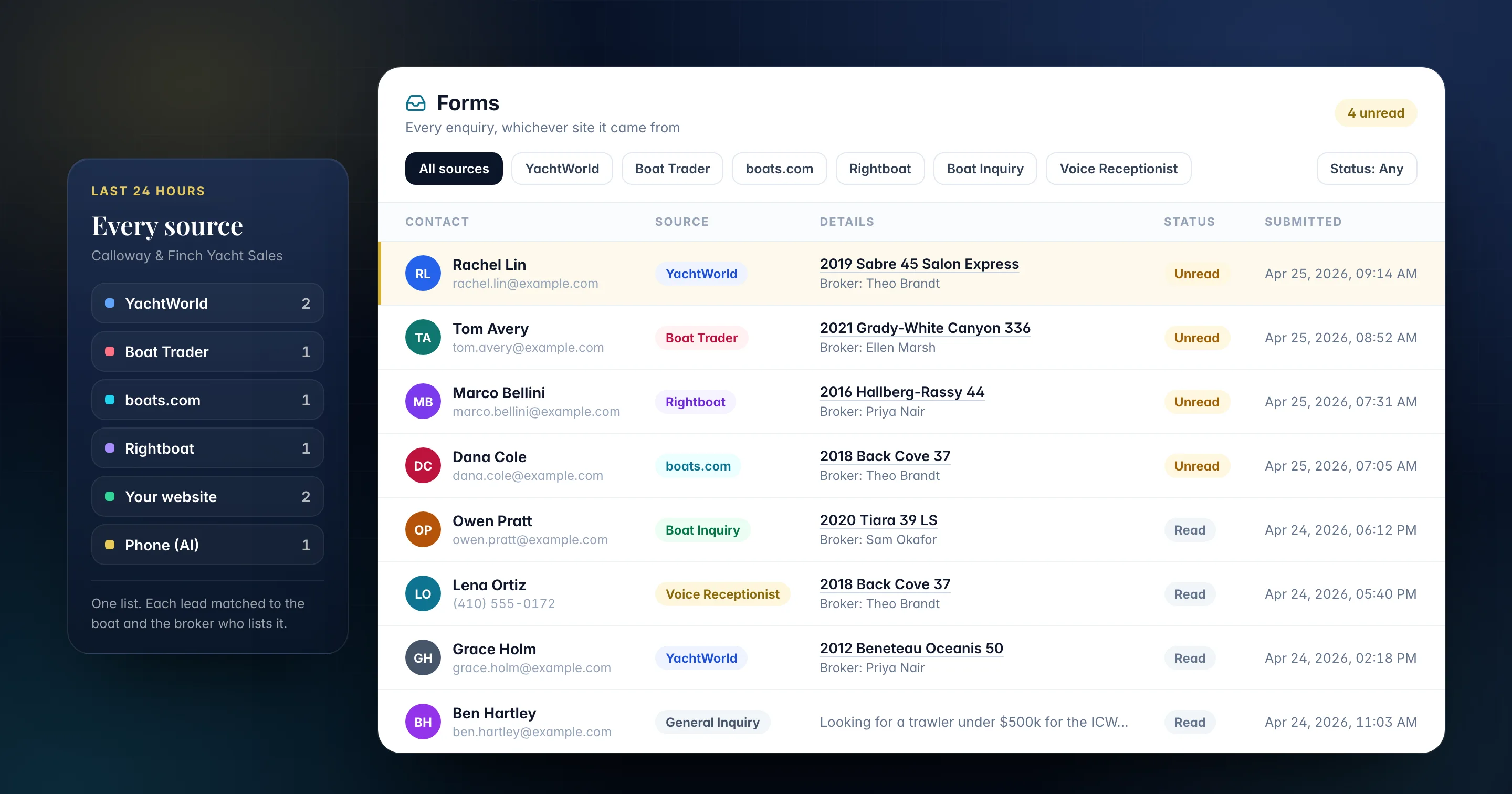
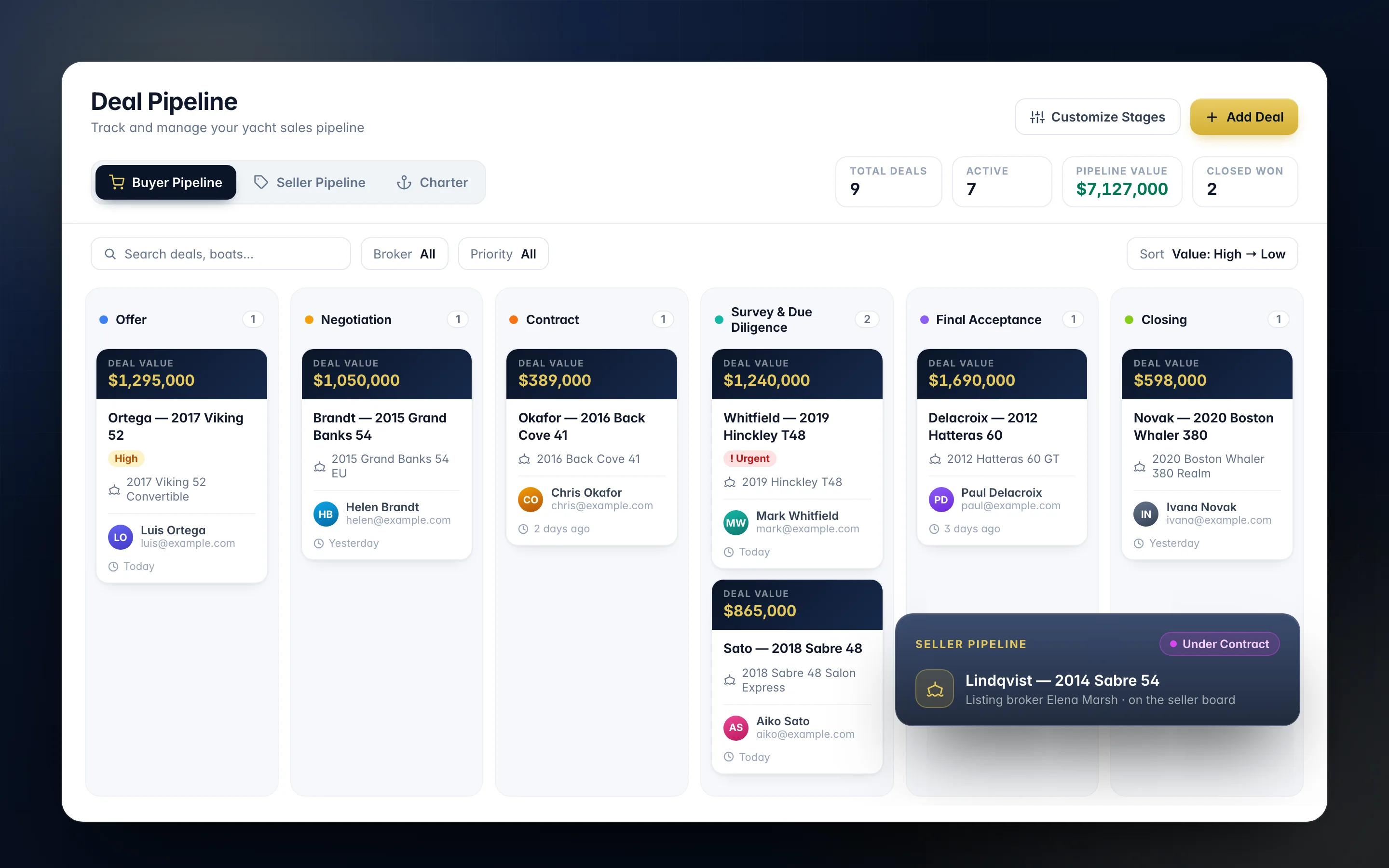
Welcome to the First End-to-End Yacht Sales Operating System
We've built the only platform designed specifically for how yacht sales actually happen. From the moment a visitor lands on your site—they never leave your ecosystem.