Yacht Broker CRM with Outlook Sync. Every Client Email on the Contact, No BCC.
Connect your Outlook or Microsoft 365 account once. Every email with a buyer or seller (the ones you send from your phone on the dock included) is logged on their contact by itself, and your sea trials, surveys and showings sit on your Outlook calendar, in sync both ways.
- Outlook & Microsoft 365
- No BCC, no add-in
- Other brokers can’t read your email
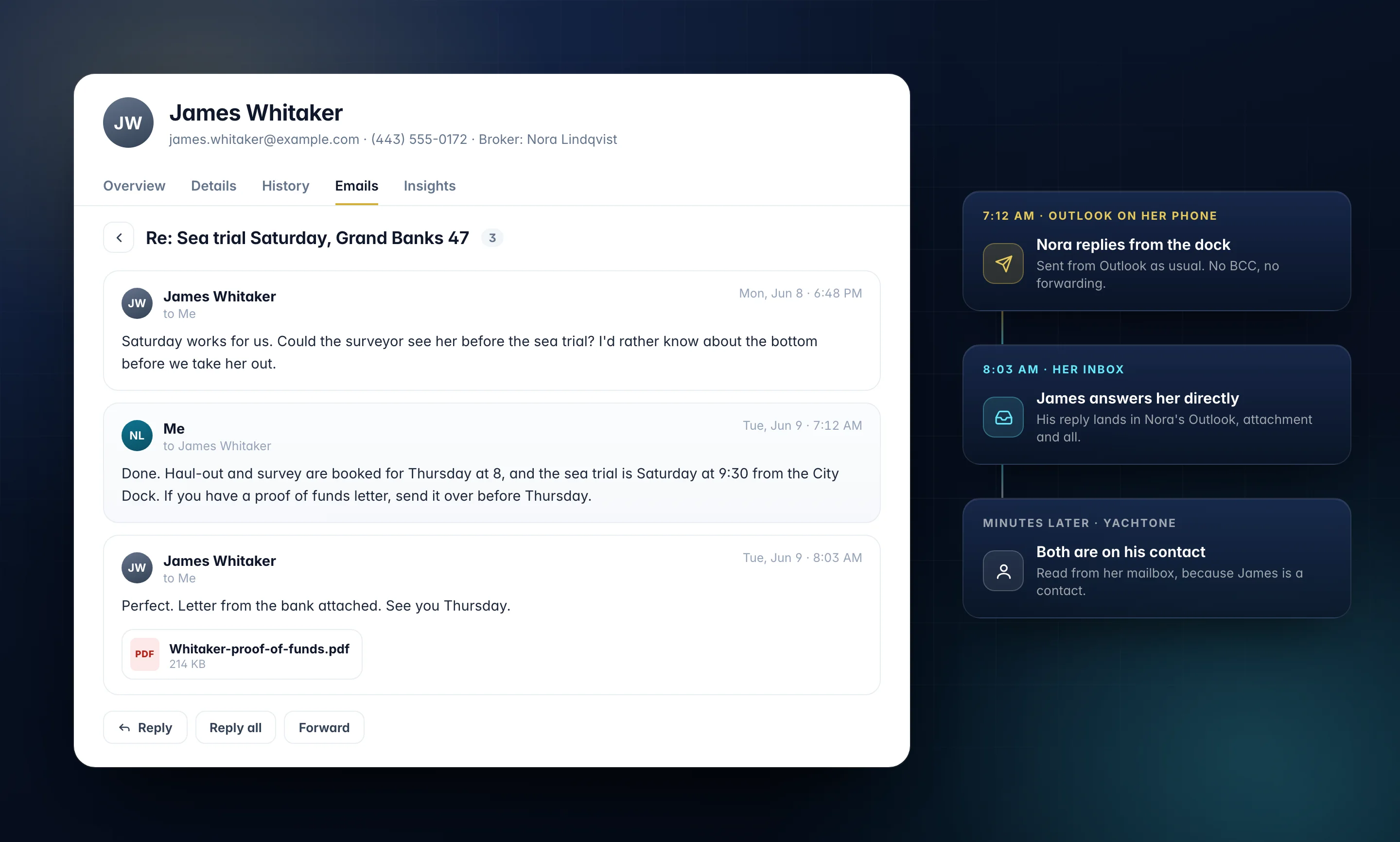
Three habits you can drop.
Most CRMs only know about an email if you copy them on it. A broker answering buyers between showings won’t, and the record is never complete.
BCC the CRM on every emailYachtOne reads your Outlook mailbox and logs the email with your contacts by itself, including what you send from your phone.
Forward buyer replies into the CRMBuyers reply to you, as always. Their replies are logged from your inbox, attachments included.
Type the sea trial into two calendarsLog it once in YachtOne and it is on your Outlook calendar. Drag it in Outlook and the CRM follows.
Your client email in the CRM. The rest of your inbox, left alone.
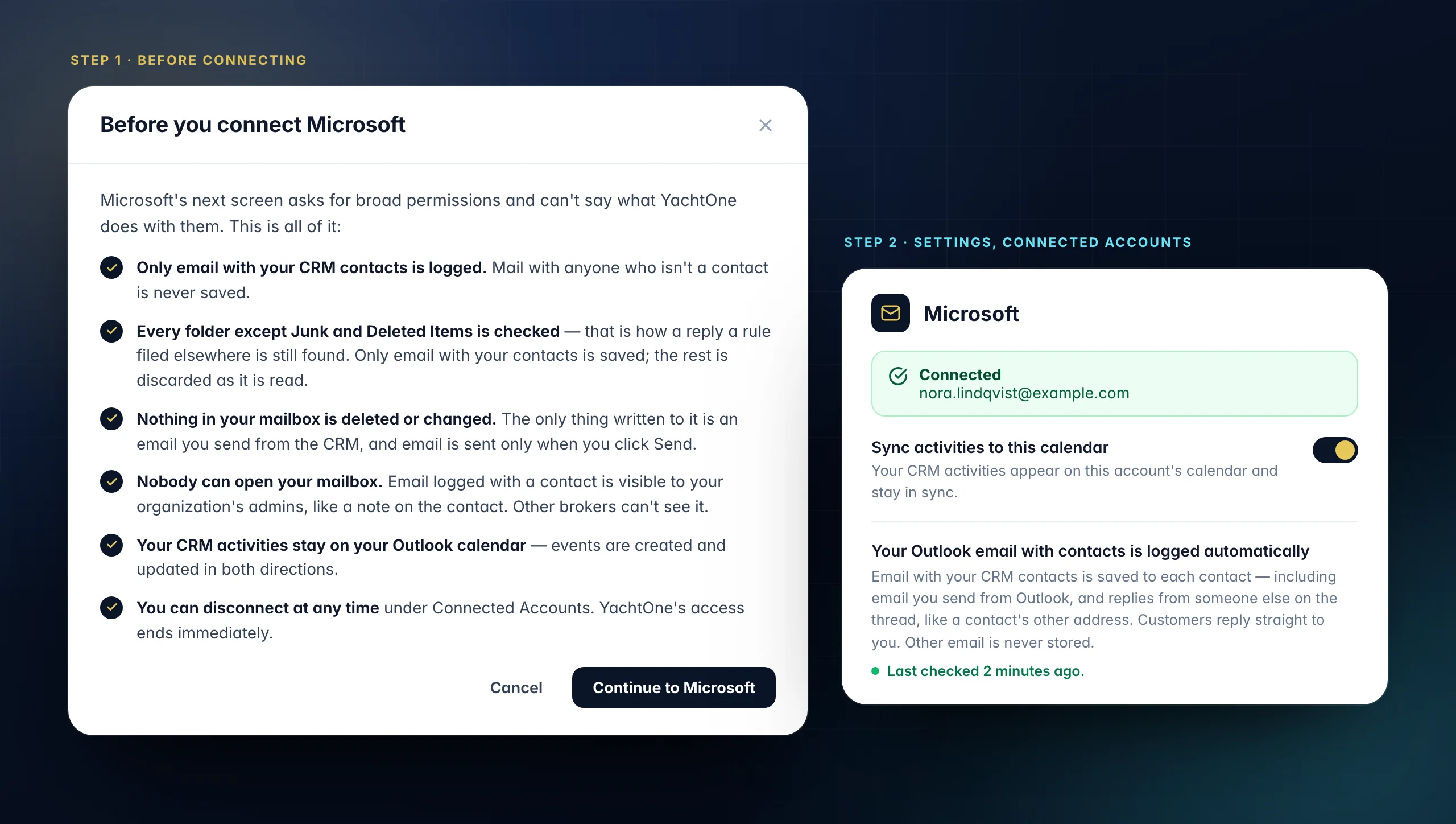
Before anyone connects, YachtOne says in plain words what it does with Microsoft’s permissions. Email logged with a contact is visible to you and your admins, like a note on the contact. Other brokers can’t see it.
Logged on the contact
- Email with anyone who is already a contact, in and out
- What you send from Outlook on any device, not only from the CRM
- A reply from someone else on a logged thread, like a buyer's other address
- Attachments: proof of funds, survey reports, signed paperwork
Never stored
- Mail with anyone who isn't a contact: read by its headers, then discarded
- Junk and Deleted Items, which are not read at all
- New contacts: none is ever created from your mailbox
- Anything in your mailbox changed or deleted
Sea trials, surveys and showings, on the calendar you already check.
- 01
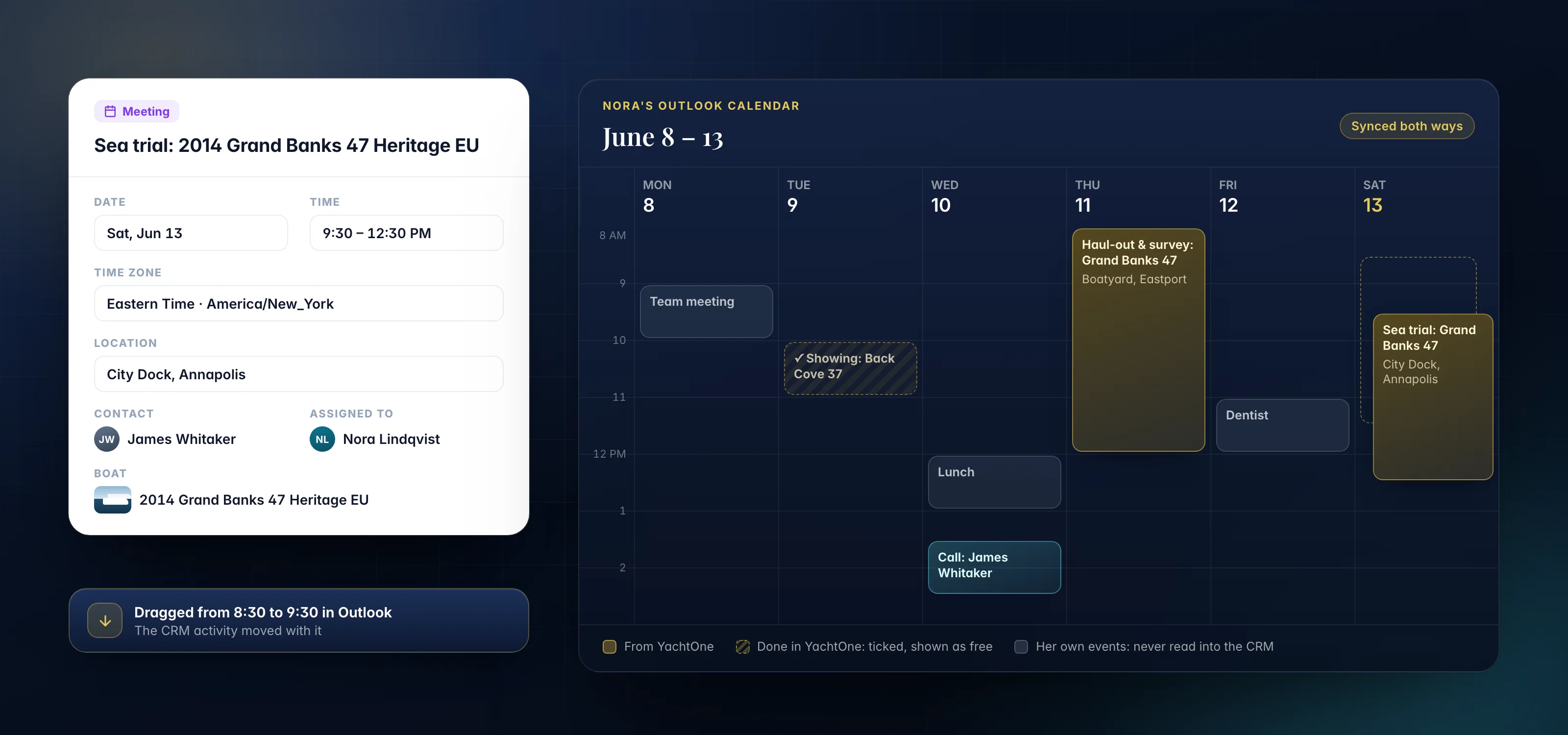
Log it once
A sea trial, haul-out and survey, showing or call, with time, place and time zone, linked to the buyer and the boat.
- 02
It's on Outlook
The activity appears on the assigned broker's Outlook calendar, on their phone as much as their desk.
- 03
Move it there, it moves here
Drag it to a new time in Outlook and the activity in YachtOne moves too. Cancel it there and it's marked cancelled, not lost.
- 04
Your own events stay yours
Only events YachtOne created are read back. The dentist and the school run never reach the CRM.
The conversation lives on the client, not in one person’s inbox.
Send from the contact
Compose, reply, reply all or forward from the buyer's record. It goes out through your own Outlook account, from your address, into your Sent Items. Drafts save as you type; attachments up to 25 MB.
When a broker leaves
Their client email stays on the contacts, and your admins can still read it. Disconnecting ends YachtOne's access to that mailbox straight away; nothing logged is lost.
When IT has to approve it
If your Microsoft 365 needs an administrator to approve new apps, Connected Accounts gives you an approval link to send them. One approval, then each broker connects.
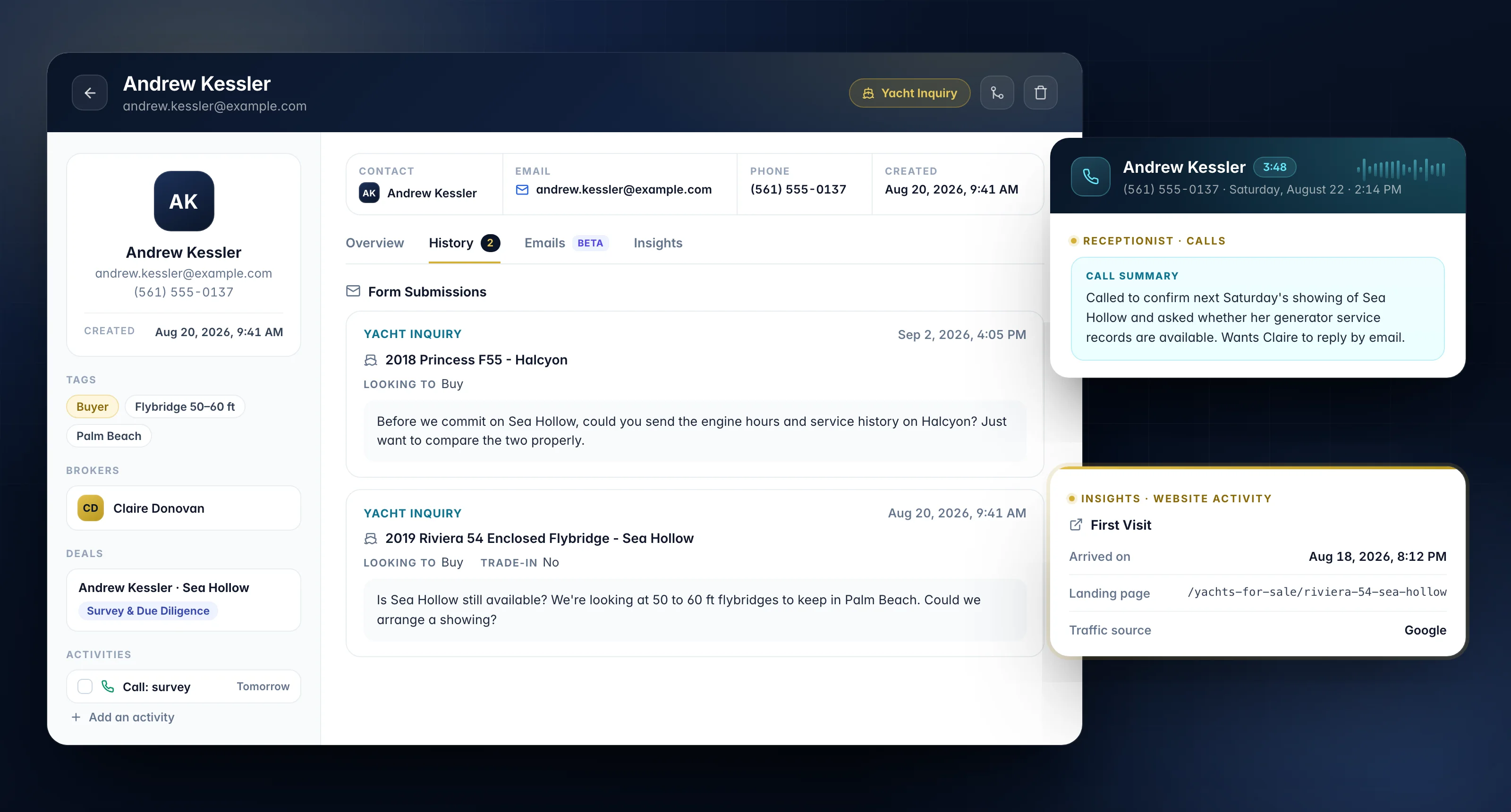
The same contact holds every inquiry the buyer has sent, routed to the right broker by the lead routing rules. Everything in the YachtOne CRM
Everything Else You Might Ask.
Does YachtOne sync with Outlook?
Yes, both ways. Each broker connects their own Microsoft account once, under Settings, Connected Accounts. From then on, email with your CRM contacts is logged on each contact automatically, including what you send from Outlook on your phone, laptop or the web.
Email you write from a contact in YachtOne is sent through your own Outlook account, so it comes from your address and sits in your Sent Items. And your CRM activities (sea trials, surveys, showings, calls) appear on your Outlook calendar and stay in sync.
Do I have to BCC or forward emails to the CRM?
No. There is no BCC address to remember, nothing to forward and no Outlook add-in to install. YachtOne reads your mailbox with the permission you give it when you connect, and logs the email that involves your contacts. Customers reply straight to you, as they always have.
Which emails does it save, and which does it ignore?
It saves email with people who are already contacts in YachtOne, matched by email address, in both directions. It also saves a reply from someone else on a thread that is already logged, like a buyer writing from their other address.
Everything else is never stored: mail with anyone who isn't a contact is discarded as it is read, and Junk and Deleted Items are not read at all. No contact is ever created from your mailbox.
Can other brokers read my email?
No. Nobody can open your mailbox. Email that is logged with a contact is visible to you and to your brokerage's admins, the way a note on the contact is. Other brokers can't see it, even on a contact they share with you.
Does YachtOne change or delete anything in my mailbox?
No. Nothing in your mailbox is deleted or changed. The only thing YachtOne ever writes to it is an email you send from the CRM, and email is sent only when you click Send.
How do sea trials, surveys and showings get onto my Outlook calendar?
Log them in YachtOne as activities, with the date, time, place and time zone, linked to the buyer and the boat. Each one appears on the assigned broker's Outlook calendar.
Move it in Outlook and the activity in YachtOne moves too. Cancel it in Outlook and the activity is marked cancelled, not deleted, so the record stays. Mark it done in YachtOne and the event stays on your calendar with a tick, shown as free.
Will it copy my personal calendar into the CRM?
No. Only events YachtOne created are ever read back, and only to pick up a new time or a cancellation. Your own appointments stay in Outlook and never reach the CRM.
Our Microsoft 365 requires an administrator to approve new apps. What then?
Some companies' Microsoft 365 settings ask an administrator to approve an app once before anyone can connect it. The Connected Accounts screen gives you an approval link to copy and send to whoever manages your Microsoft account. Once they approve, each broker clicks Connect as normal.
Does it work with Outlook.com as well as Microsoft 365?
Yes. Work or school Microsoft 365 accounts and personal Outlook.com accounts can both connect. For a brokerage, the broker's Microsoft 365 work account is the one to use, so client email comes from the brokerage's own domain.
What happens to the email history when a broker leaves?
It stays. Email that was logged with your contacts is stored on those contacts in YachtOne, and your admins can still read it after the broker disconnects or leaves. Disconnecting only ends YachtOne's access to that mailbox, straight away.
That is the difference between a CRM that reads the mailbox and a broker's own Outlook folders: the client conversation belongs to the brokerage's record, not to one person's inbox.
Which plan is it on?
Outlook email and calendar sync are included from the Website + CRM plan at $500 a month. On that plan it runs on the one admin login; on the Full Platform at $850 every broker gets a private login and connects their own mailbox.
More problems we solve
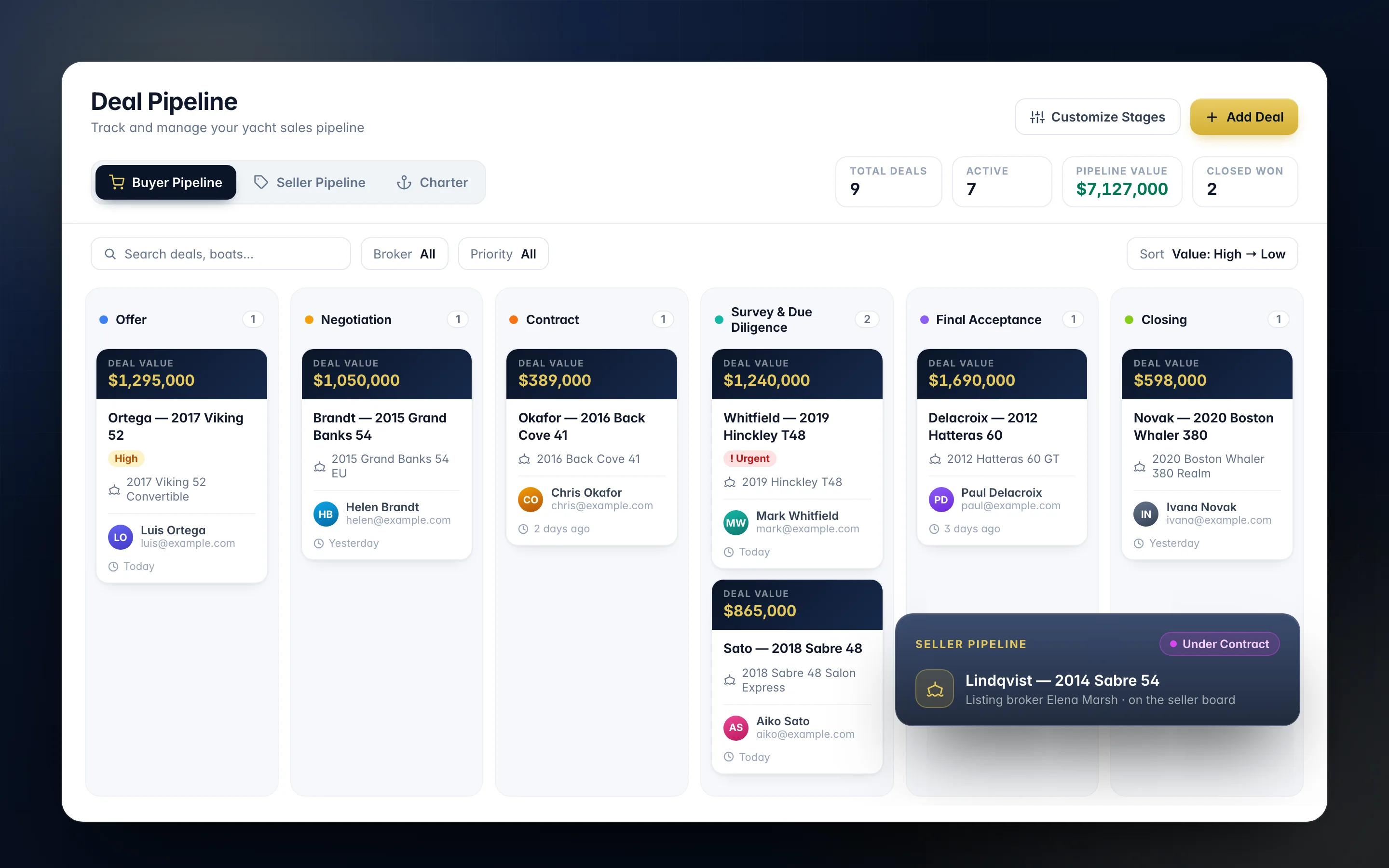
Welcome to the First End-to-End Yacht Sales Operating System
We've built the only platform designed specifically for how yacht sales actually happen. From the moment a visitor lands on your site—they never leave your ecosystem.