A Yacht Brokerage Client Database That Stays When a Broker Leaves.
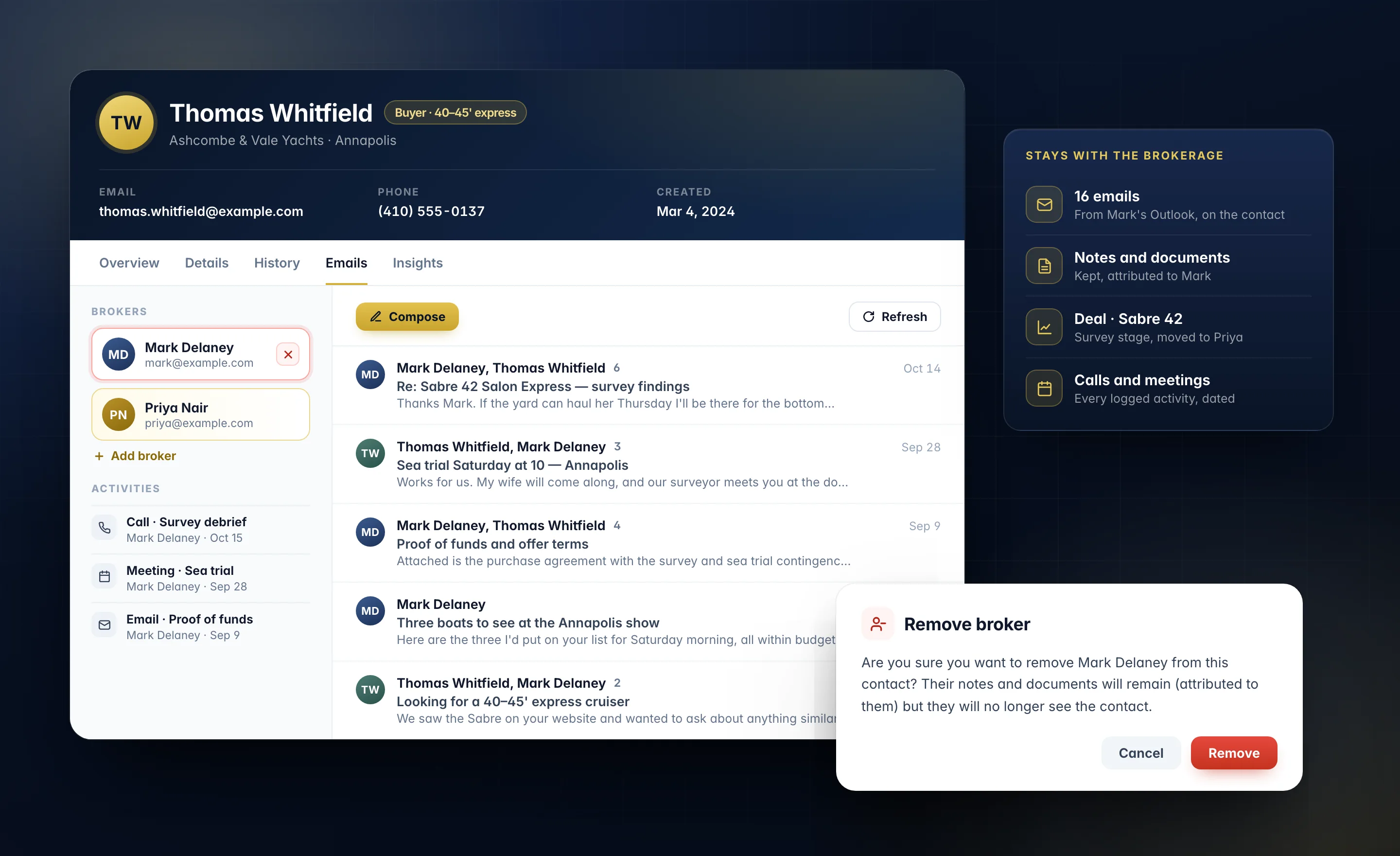
When a broker walks out, the client list usually goes with them: in their phone, their Outlook contacts, a spreadsheet they exported last month. In YachtOne the contacts sit in the brokerage’s CRM. Each broker gets a restricted login that shows only their own clients, only full-access logins can export or delete contacts, and the email history from a broker’s Outlook stays on the contact after they have gone.
- A restricted login for every broker
- Export and delete: full access only
- Full Platform · $850 a month
“When brokers, listing administrators, or assistants leave a company, they may take client records, Outlook contact lists, or Excel spreadsheets with them.”
Rebecca Taylor, YATCO, “Your Contacts Safeguarded”, 2 October 2025
The same post calls a broker’s database of owners, buyers, captains and crew “not just contact information; it is the foundation of professional relationships”. These are the three places it usually walks out, and what changes when the records live in the brokerage’s CRM instead.
Their phone and Outlook contacts
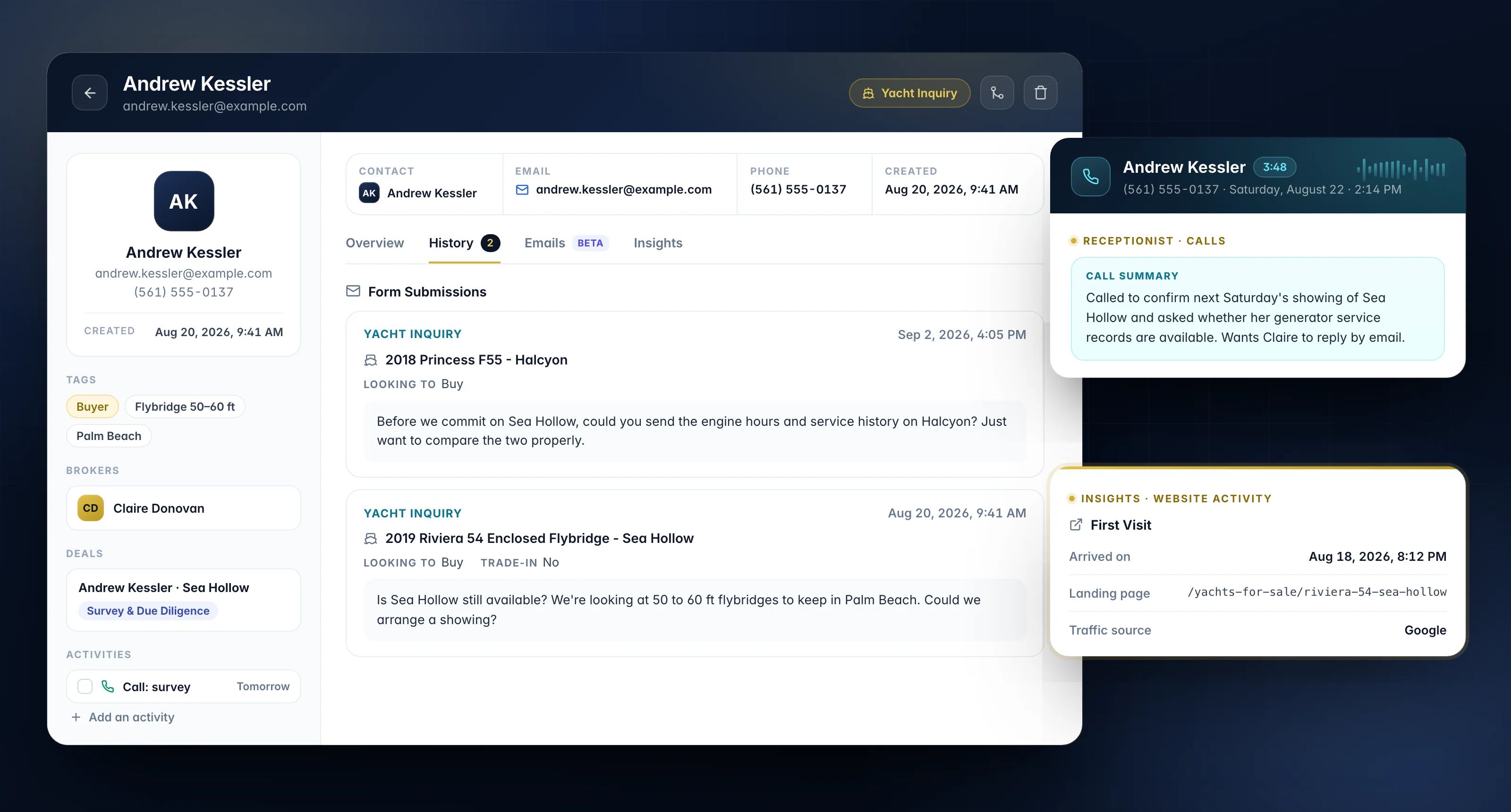
Inquiries from your website and the portals arrive as contacts in the brokerage's CRM, with the broker they went to attached, not as messages in one person's inbox.
A spreadsheet export
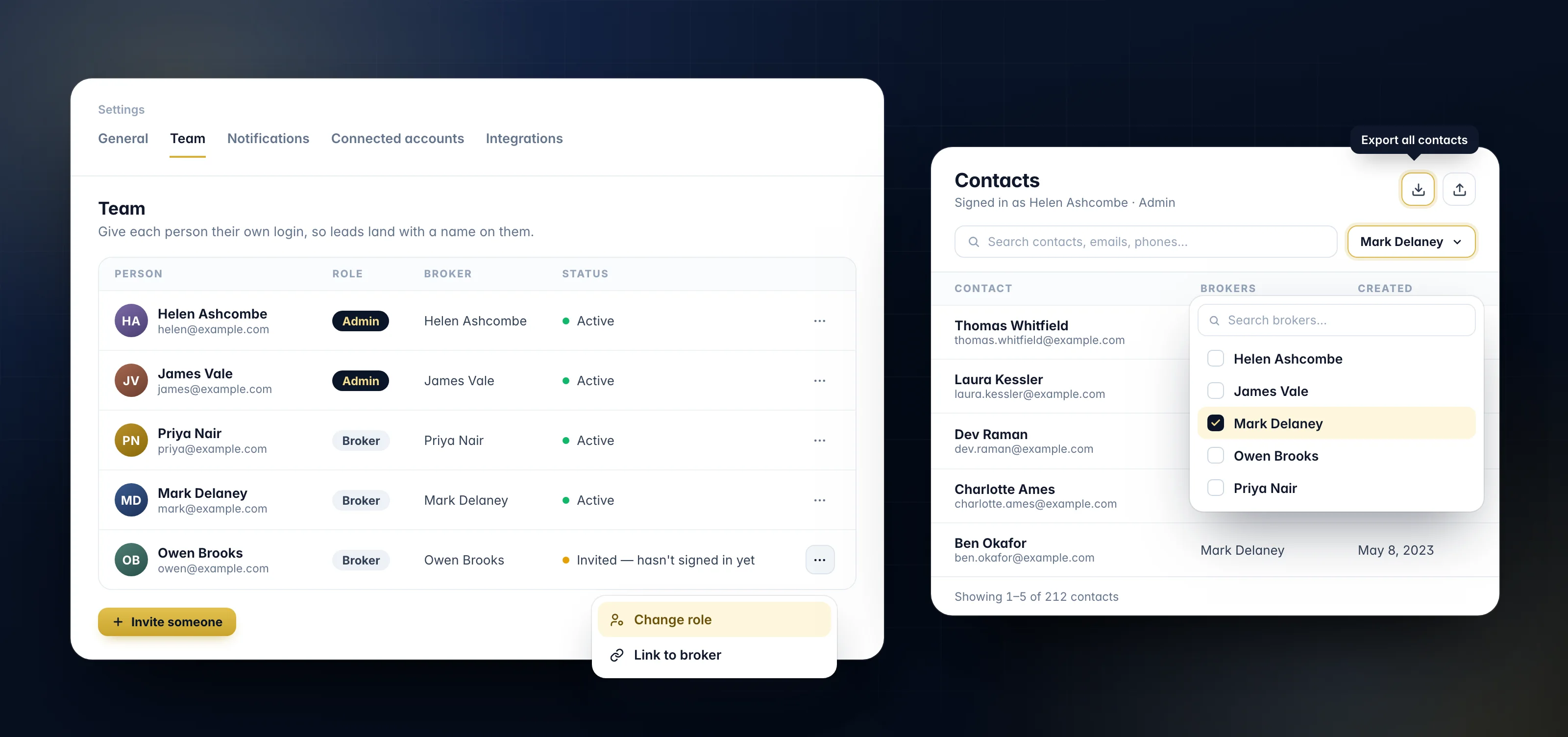
Exporting contacts is a full-access button. A broker login has no Export on the Contacts page and only ever loads the clients it is attached to.
Years of email threads
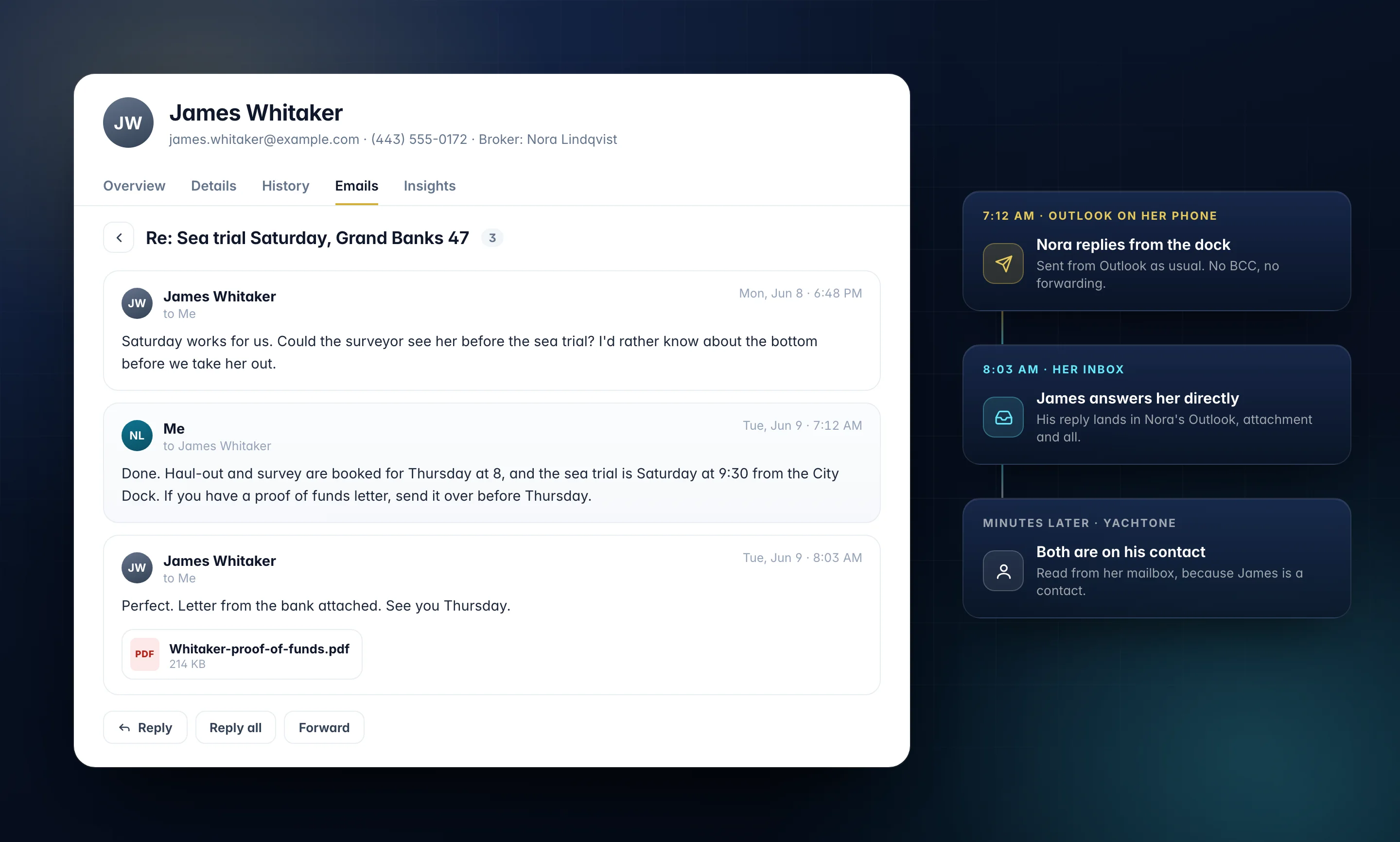
With Outlook connected, a broker's email with your contacts is copied onto each contact, in your CRM, and stays there after they have gone.
Two levels of access, set per person.
Everyone signs in as themselves. “Admin” and “Broker” aren’t job titles here; they are how much of the brokerage a login can see. An owner who also sells boats is an admin with their own clients, like anyone else.
Full access
- Every contact, inquiry and deal in the brokerage
- Filter contacts and deals by broker
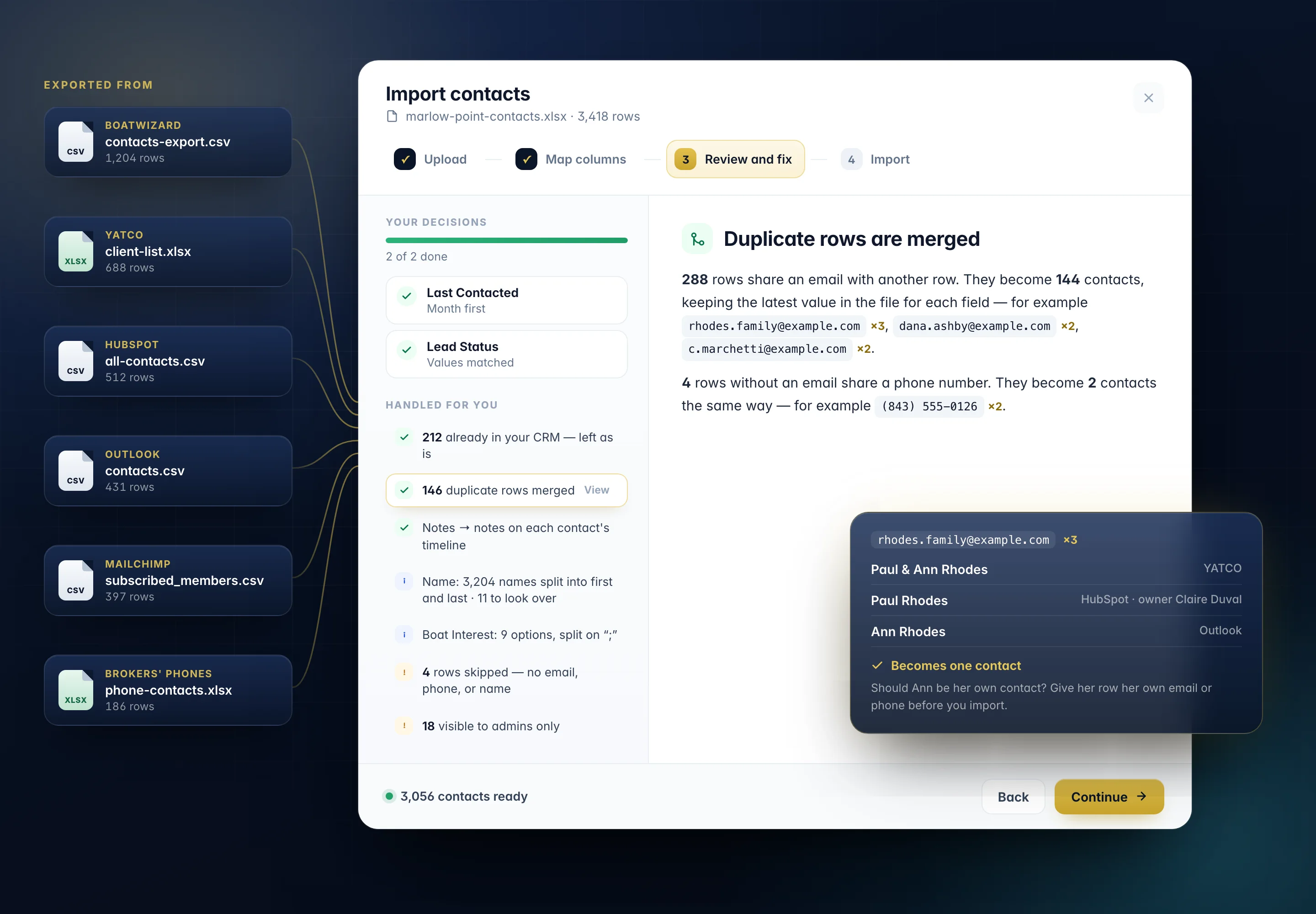
- Export and import contacts
- Delete contacts
- Every team member's synced email with a contact
- Private notes as well as shared ones
- Settings → Team: invite people, change roles
Restricted access
- Can see or do: The contacts they are attached to
- Can see or do: Their own inquiries, deals and activities
- Can see or do: Notes, calls and email on their clients
- Can see or do: Their own synced email, not colleagues'
- Cannot: Export the contact list
- Cannot: Delete contacts
- Cannot: Leads nobody has been assigned yet
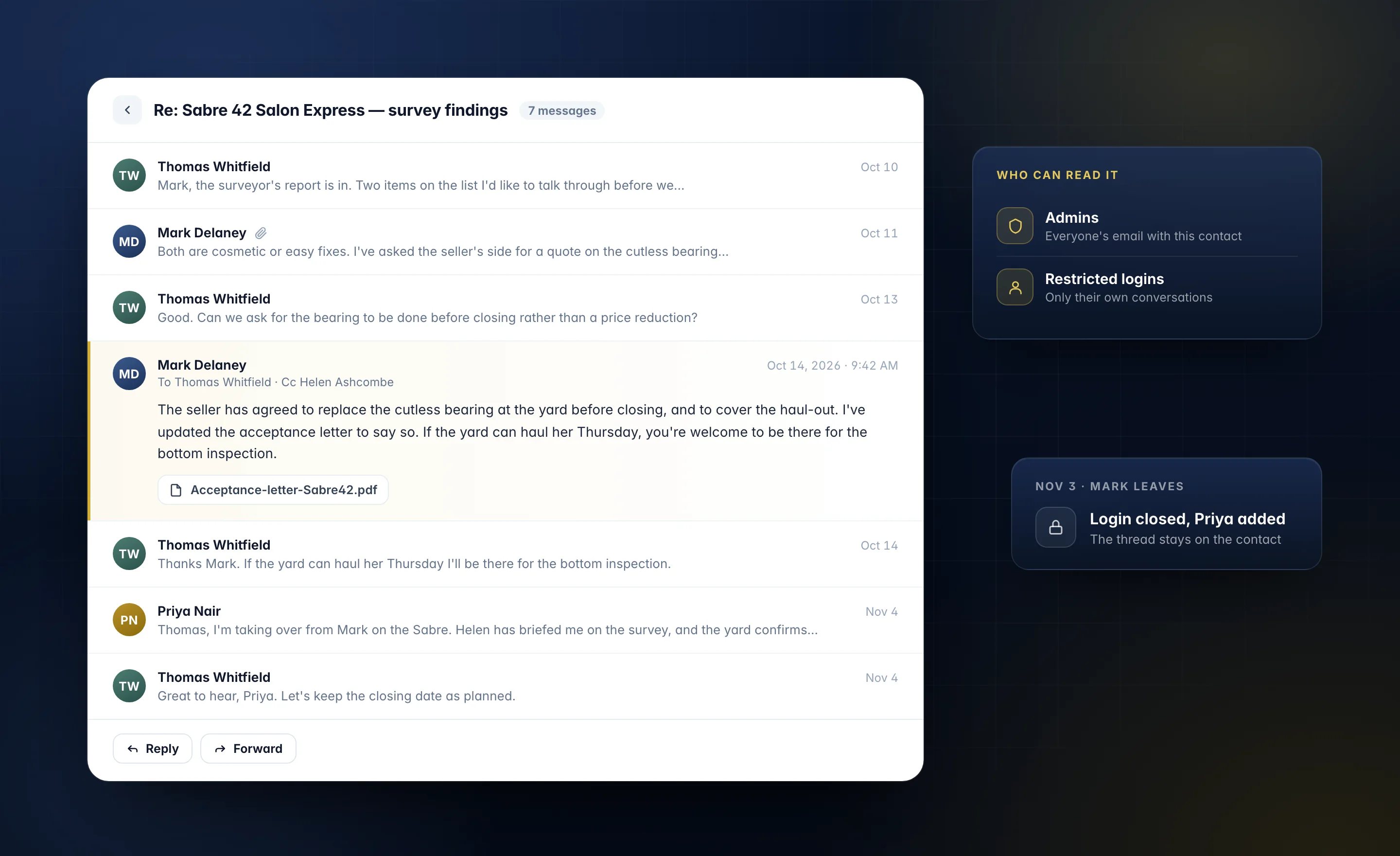
The thread stays on the client, not in his Outbox.
The survey findings, the acceptance letter, the haul-out date: in most brokerages that history lives in one broker’s mailbox and goes when the mailbox does.
Copied onto the contact
Each broker connects their own Outlook. From that day, email they send and receive with your existing contacts is copied onto those contacts, attachments included.
Readable by the people who run the brokerage
Admins see every team member’s email with a client on the contact’s Emails tab. A broker login sees its own conversations only.
Still there afterwards
Closing a login or disconnecting the mailbox stops the copying. It deletes nothing that is already on the contact.
Five steps, and nothing gets deleted.
Handing a departing broker’s clients to a colleague is done from your own admin, contact by contact, with one step that we do for you.
Their contacts, notes, deals, logged calls and synced email all stay in the brokerage’s CRM.
- 1
Pull up their clients
On Contacts, pick their name in the All Brokers filter. Every contact they are attached to, in one list.
- 2
Add the colleague taking over
Open each contact, add the new broker, then remove the one leaving. Their notes and documents stay on the contact, still attributed to them.
- 3
Hand over their open deals
Change the Assigned Broker on each deal they were working, so the deal and its tasks follow the client.
- 4
Move their listings
Website inquiries about a boat go to that boat's listing broker, so give their listings to a colleague before new leads go looking for them.
- 5
Ask us to close their login
There is no deactivate button in Settings yet, so we do it for you. Closing a login deletes nothing they worked on.
What software can’t do about a broker leaving.
- It is not an employment contract. Who may contact a client after leaving is a matter for the broker's agreement and local law.
- It can't stop someone retyping a phone number or keeping their own phone's contacts.
- Email is copied only from Outlook mailboxes connected to YachtOne, from the day they were connected, and only with people who are already contacts.
- Calls on a broker's own mobile aren't recorded. Log them as Call activities and they stay with the contact like everything else.
Under YachtOne’s Terms, your brokerage keeps ownership of the business data it puts in. Broker logins are on the Full Platform plan ($850 a month); the Website + CRM plan ($500) has one admin login. See pricing.
Everything Else You Might Ask.
Who owns the client list when a yacht broker leaves the brokerage?
That depends on the broker's agreement with the brokerage (employee or independent contractor, and any confidentiality or non-solicitation terms) and on the law where you operate. This is general information, not legal advice; a broker's contract is the place to settle it.
What YachtOne settles is where the records live. The contacts, inquiries, notes and synced email sit in your brokerage's CRM, and under YachtOne's Terms you keep ownership of the business data you put in. A broker's login gives them access to part of it; it does not make it theirs.
Can a broker export our contact list from YachtOne?
Not with a broker login. Export and Import on the Contacts page are only there for admins, and a broker login only ever loads the contacts they are attached to, so there is no full list in front of them to take.
A broker can still export the inquiries assigned to them from the Forms page, and nothing stops someone copying a phone number by hand. The point is that the brokerage always has the complete record, not that a broker can never write anything down.
Can a broker delete contacts before they leave?
No. Deleting a contact is admin-only, and that rule is enforced by the database, not just hidden in the screen.
A broker can edit the contacts they work on and delete their own notes and the inquiries assigned to them, the same as in any CRM where people do their daily work.
What is the difference between an admin and a broker login?
They are two levels of access, not job titles. An admin has full access: every contact, inquiry and deal, the filter by broker, export, import and delete, every team member's synced email with a contact, private notes, and Settings → Team.
A broker login is restricted to the contacts they are attached to, their own inquiries, deals and activities, their own email and their own notes plus the notes colleagues share. You can change someone's role at any time in Settings → Team.
What happens to a departed broker's emails with our clients?
If their Outlook mailbox was connected, every email they sent or received with an existing contact, from the day they connected it, is stored on that contact in your CRM. Closing their login or disconnecting the mailbox stops the copying; it does not delete what is already there.
Admins can read it on the contact's Emails tab. The colleague who takes over sees their own email with the client, not the previous broker's, so an admin forwards anything they need.
Does the broker who takes over see the old broker's notes?
They see the notes that were marked Shared (“Share with the team”) once they are added to the contact. Notes marked Private stay visible to admins only.
When you remove the departing broker from a contact, their notes and documents stay on it, still attributed to them.
How do I close the login of someone who has left?
Tell us and we close it for you. There is no deactivate button in Settings yet, so this is done by YachtOne rather than in your admin.
Closing a login deletes nothing. Their contacts, notes, deals, activities and synced email stay where they are, ready for you to hand to someone else.
Which YachtOne plan includes broker logins?
Broker roles, with a private login for every broker, are on the Full Platform plan at $850 a month. The Website + CRM plan at $500 a month has one admin login, with the contacts CRM and Outlook email and calendar sync for that login.
More problems we solve
Welcome to the First End-to-End Yacht Sales Operating System
We've built the only platform designed specifically for how yacht sales actually happen. From the moment a visitor lands on your site—they never leave your ecosystem.