The Yacht Brokerage Sales Manager’s View: Which Leads Got Followed Up.
You shouldn’t have to ask each broker whether they called the Saturday leads back. YachtOne emails you on Monday with how many inquiries are still unanswered, can tell you about every new inquiry as it lands, reminds each broker every morning what is overdue, and shows any broker’s leads, tasks and deals when you want to look.
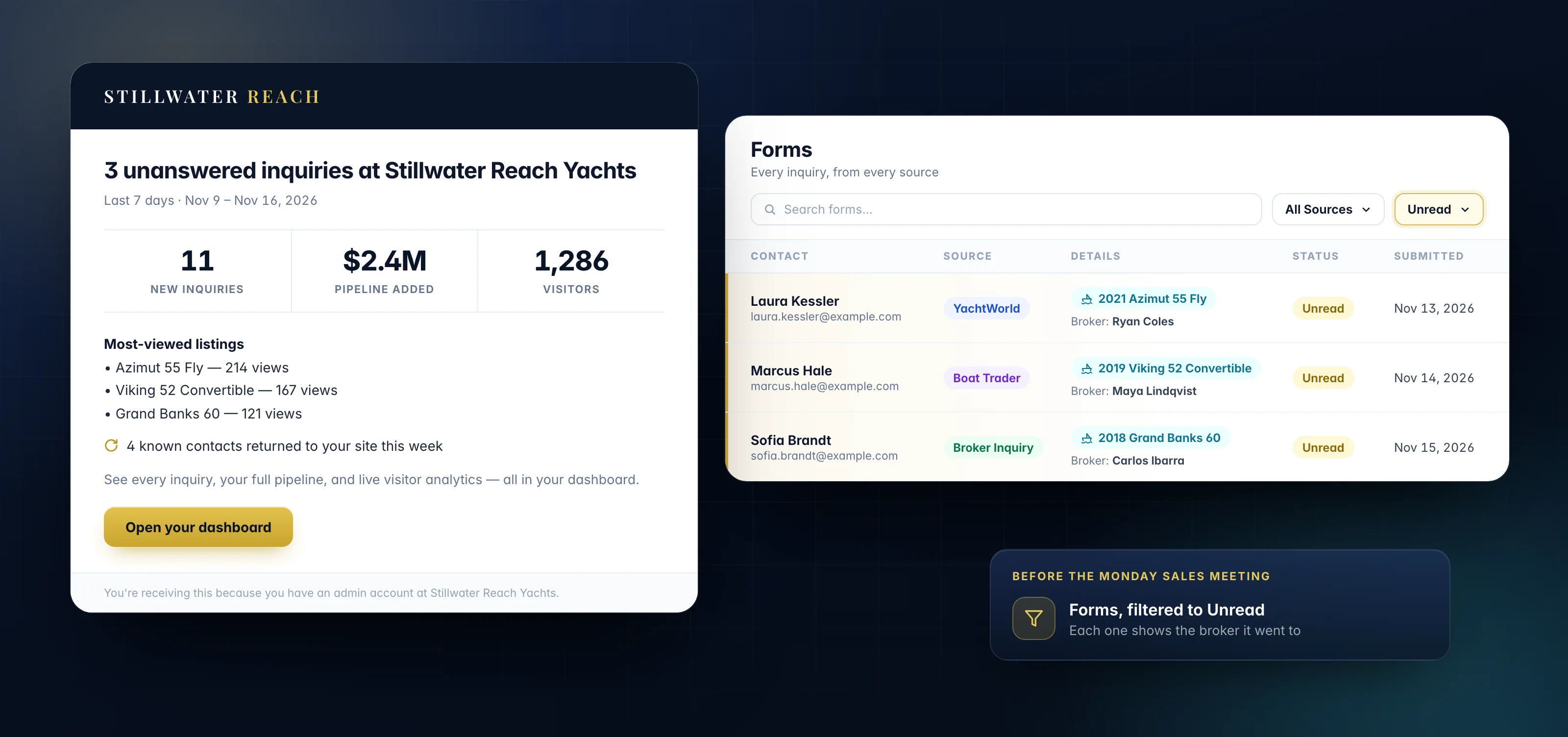
Follow-up you can see without a sales meeting.
Four emails do most of the chasing. Two come to you; two go to your brokers so the reminder isn’t your job.
- As it happensTo: You
New leads for the brokerage
Every inquiry that comes in, whichever broker it went to, in the app and, if you want it, by email: one at a time or a single morning round-up.
- Every morningTo: Each broker
Their day, in one email
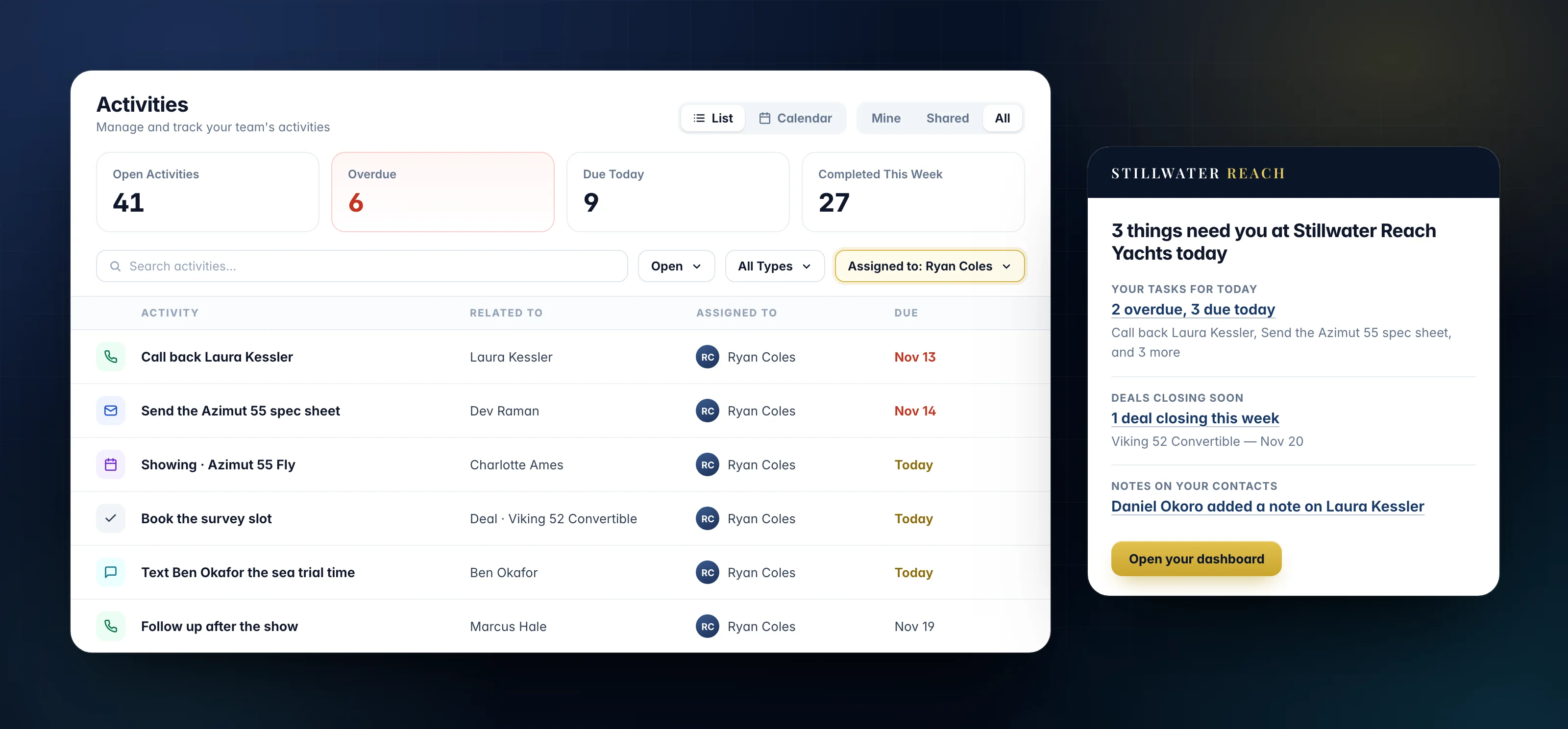
Tasks due and overdue (“2 overdue, 3 due today”), deals closing in the next seven days, deals someone else moved, notes a colleague shared.
- MondayTo: Admins
The weekly digest
New inquiries, pipeline added and visitors for the last seven days, the most-viewed listings, known buyers who came back, and how many inquiries are still unread.
- Each monthTo: Each broker
Their listing recap
Views, unique viewers and inquiries on the boats they list, so a broker knows which listings are working before you ask.
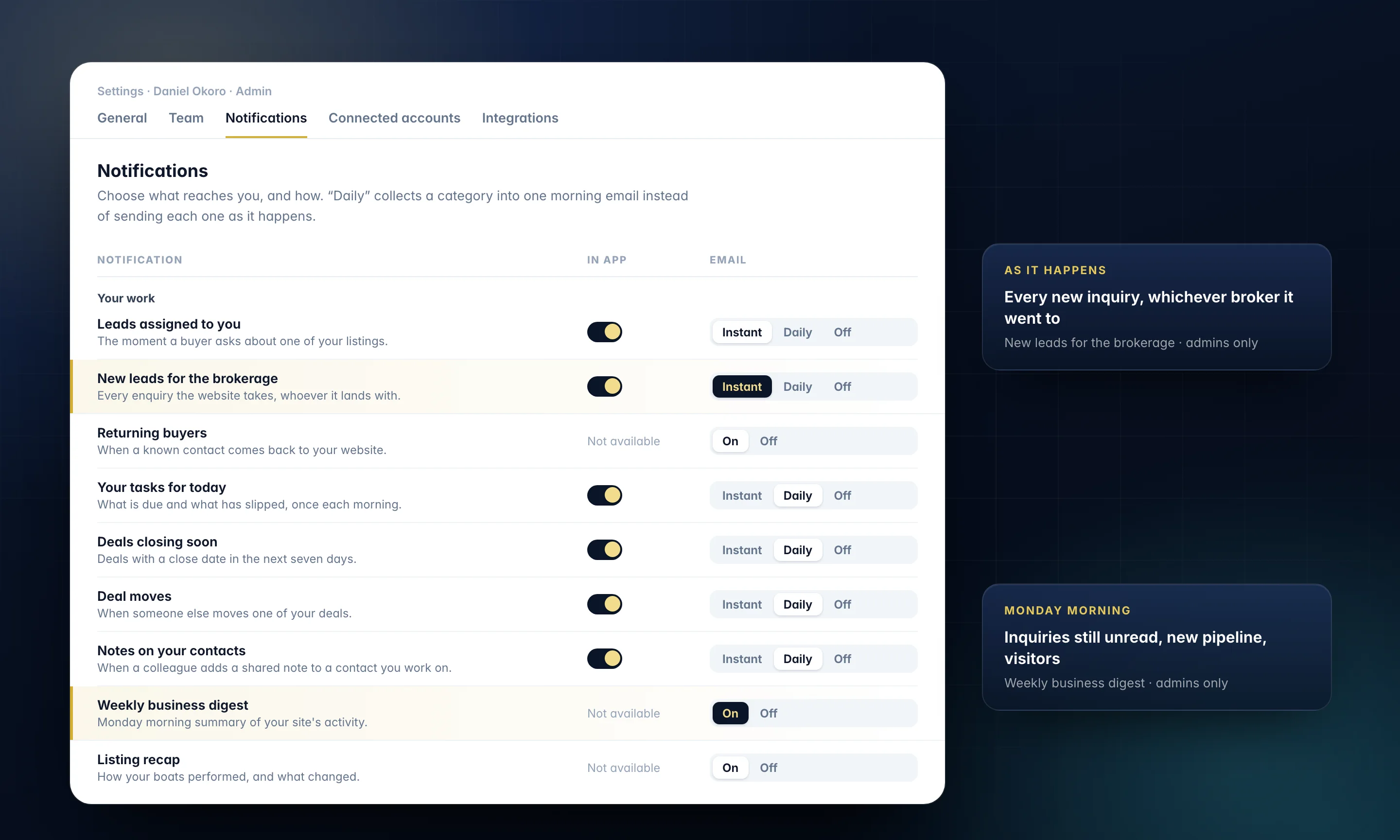
Instant, Daily or Off, chosen by each person.
Everyone sets their own in Settings, Notifications. An owner who wants every lead the moment it lands picks Instant for New leads for the brokerage; one who would rather read it with coffee picks Daily, and everything set to Daily arrives as one email in the morning.
We switch the weekly digest and the listing recap on for your brokerage when we set you up; each person can turn theirs off.
What you would ask each broker, and where it’s already answered.
- Did anyone answer Saturday's inquiries?
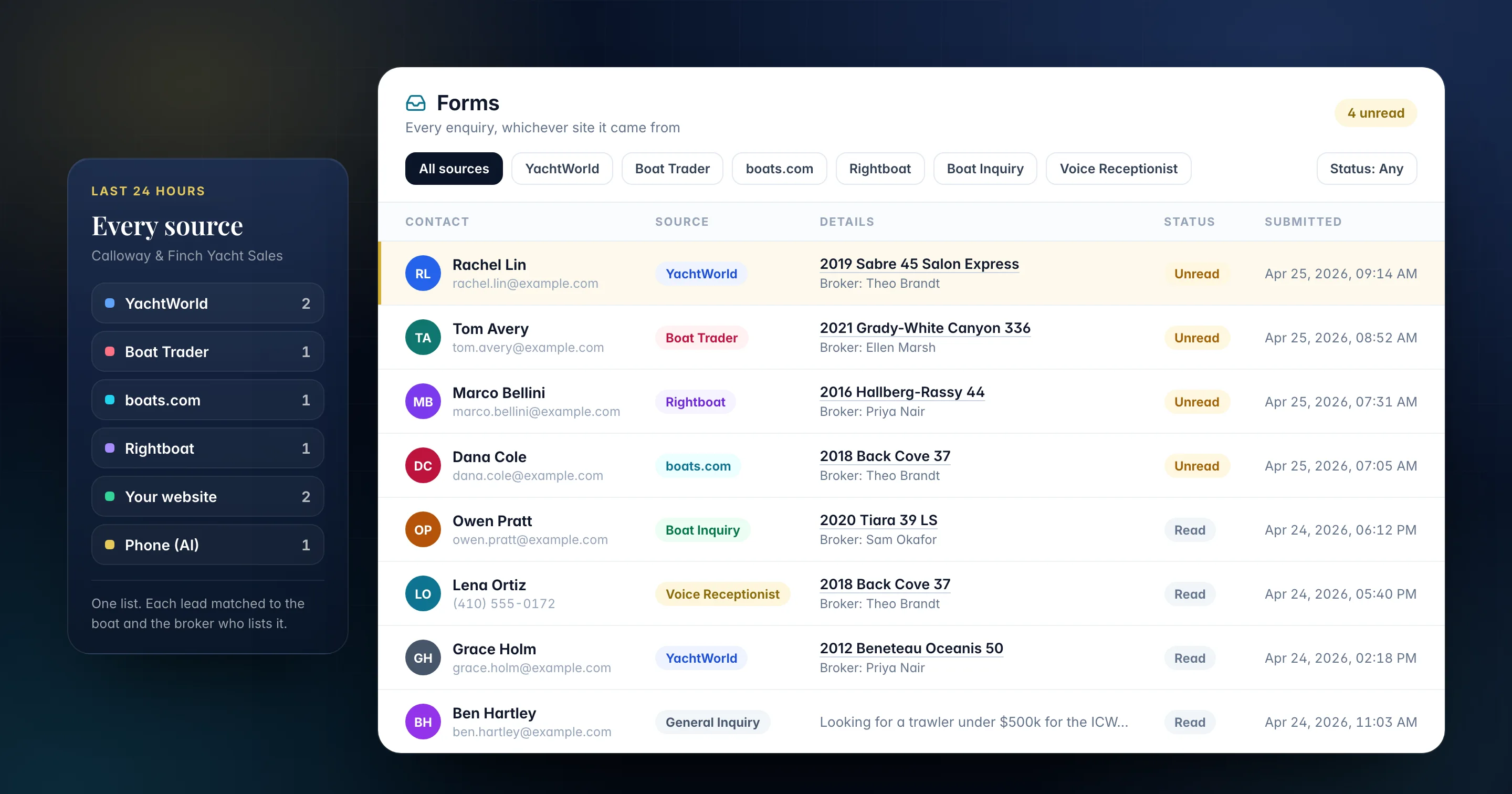
- Forms, filtered to Unread
- Each inquiry with its source, the boat and the broker it went to.
- Who has this buyer?
- The contact's Brokers list
- Every team member attached to the client, by name.
- Did he actually email her back?
- The contact's Emails tab
- Every team member's Outlook email with that client, with dates, once their mailbox is connected.
- What has slipped?
- Activities, set to All
- The team's overdue count, then each broker's list with the Assigned to filter.
- What is closing this week?
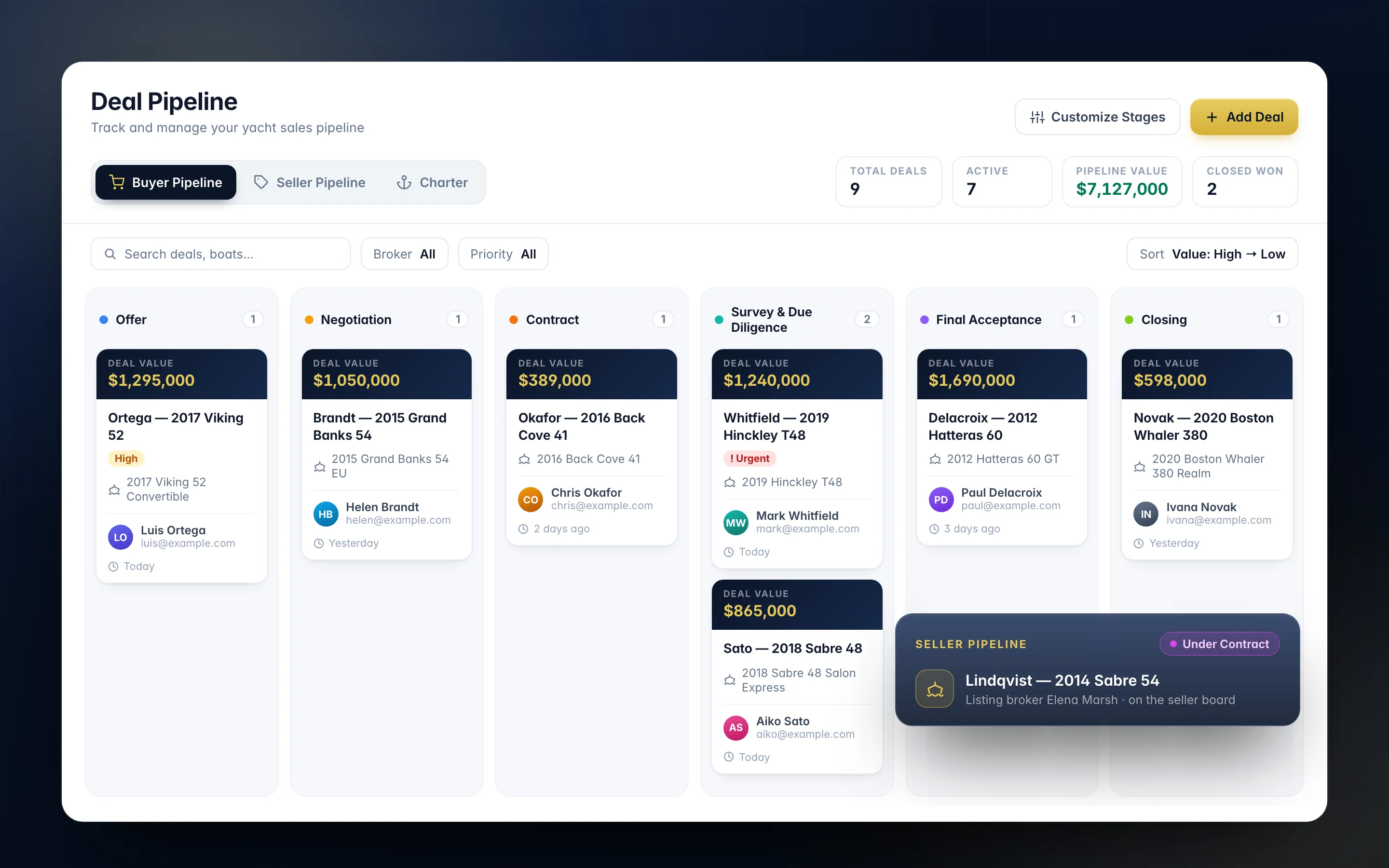
- Deal Pipeline, filtered by broker
- Each broker's deals by stage, with the close dates they set.
- Is a past buyer looking again?
- Returning buyers
- An alert when a known contact comes back to your website.
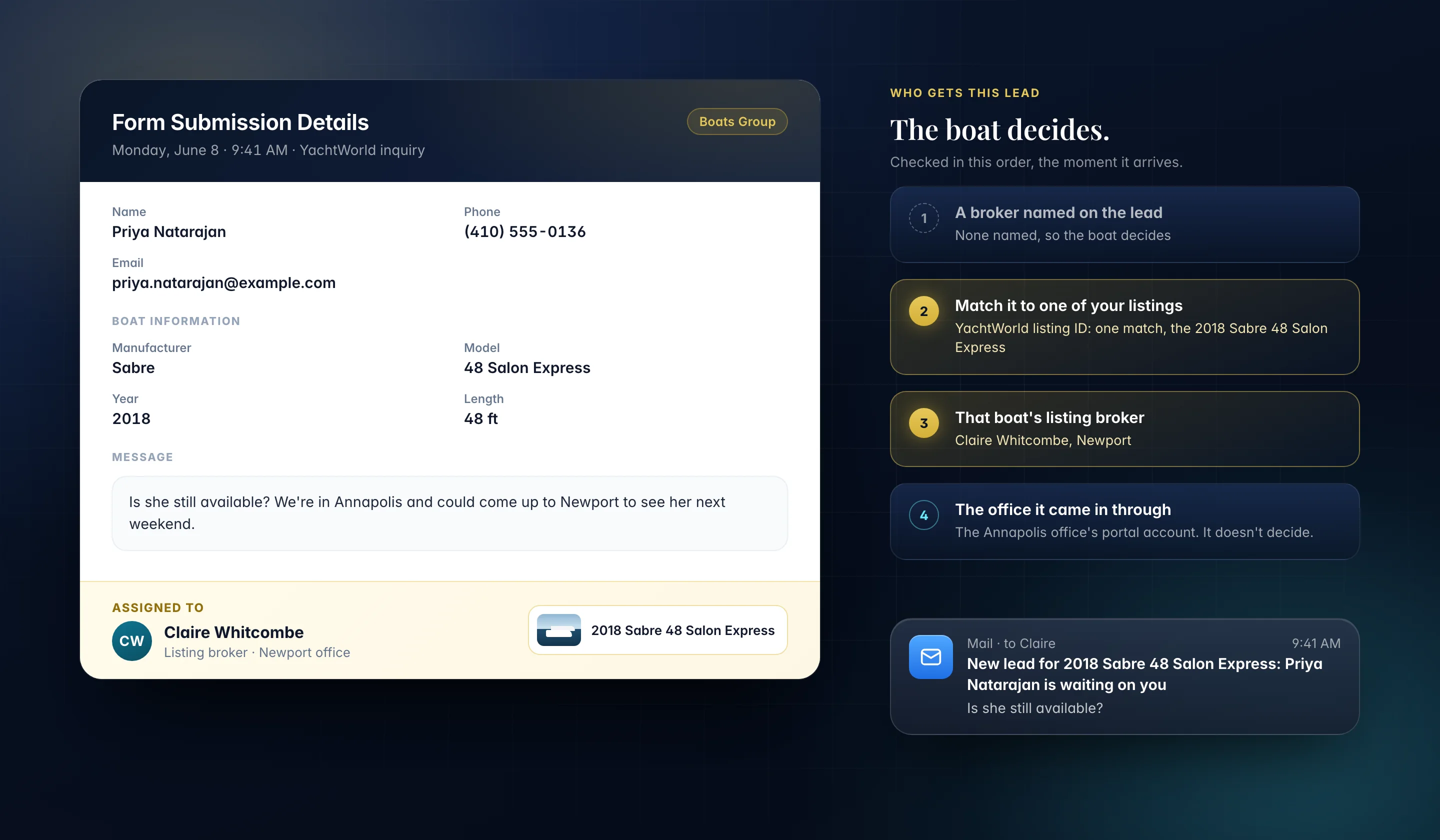
Leads reach a broker by the rules on the lead routing page; deals and their dates are on the deal pipeline page.
A follow-up with a date is one you can see.
“I’ll call him Thursday” disappears. A Call activity due Thursday, assigned to a broker, does not: it is in their morning email that day, in the overdue count if Thursday passes, and in your view of the team the whole time.
- Each broker signs in as themselves and sees their own clients, leads, deals and activities.
- Admins see the whole team: Activities opens on All, with a filter for any one broker.
- Calls, emails, meetings, texts and tasks are all activities, linked to the contact or the deal they belong to.
What it shows, and what it doesn’t.
Broker logins and the automated digests are on the Full Platform plan, $850 a month. The Website + CRM plan ($500) has one admin login. See pricing or the CRM.
- There is no leaderboard and no response-time score for your team. You get the records and the emails that point you to them.
- “Unread” means nobody has clicked Mark as read. Opening an inquiry doesn't change it, so it works best when brokers mark a lead read once they have answered.
- Calls on a broker's own mobile only appear if they log them as Call activities.
- Email shows up only for brokers who have connected their Outlook, from the day they connected it.
Everything Else You Might Ask.
How can a yacht brokerage owner tell whether brokers followed up on their leads?
Look at the records the follow-up leaves behind rather than asking. In YachtOne that means three places: inquiries still marked unread on the Forms page, overdue tasks on the Activities page with the view set to All, and the contact itself, where the email, notes and logged calls show what happened and when.
The Monday digest puts the first of those in your inbox: it leads with how many inquiries are still unanswered.
What is in the weekly digest?
It goes to the brokerage's admins once a week, normally on Monday morning, and covers the last seven days: new inquiries, the value of deals added to the pipeline and website visitors, the three most-viewed listings, and how many known contacts came back to your site. When inquiries are still unread, the subject line leads with that number.
We switch it on for your brokerage, and each admin can turn it off for themselves in Settings, Notifications.
What does “unanswered” mean in the digest?
It counts inquiries that are still marked unread on the Forms page. An inquiry is marked read when someone clicks Mark as read; opening it does not do that on its own.
So the number is only as good as the habit behind it. Ask brokers to mark an inquiry read once they have answered it, and unread starts to mean “nobody has got back to this buyer yet”.
Can I get an email for every new inquiry, not only my own?
Yes. Admins have a notification called New leads for the brokerage: every inquiry that comes in, whichever broker it went to. It shows in the app from the start; its email is off until you choose Instant (each one as it arrives) or Daily (one morning email) in Settings, Notifications.
Do brokers get reminded about their own follow-ups?
Yes. Each morning a broker with tasks due gets one line such as “2 overdue, 3 due today” with the first task names, in the app and in a daily summary email. The same email can carry deals closing in the next seven days, deals someone else moved and notes a colleague shared on their contacts.
We can also send each broker a recap of their own listings, with views, unique viewers and inquiries.
Can I see one broker's tasks, deals and clients on their own?
Yes. On Activities, set the view to All and filter Assigned to that broker. The Deal Pipeline and Contacts pages have a broker filter for admins as well.
The Overdue, Due Today and Completed This Week counts at the top of Activities are for the whole team, not the filtered broker.
Can I see whether a broker emailed the client back?
If that broker has connected their Outlook, yes: email they send and receive with an existing contact is copied onto the contact, and admins can read every team member's email there, with dates. Calls from a broker's own mobile only show up if they log them as Call activities.
Does YachtOne rank brokers or score their response times?
No. There is no leaderboard or response-time score for your team. What you get is the record (each inquiry with the broker it went to, the tasks, the deals and the email on each contact) and the emails above that tell you where to look.
Which plan includes this?
Broker roles with a private login for every broker, and the automated email digests, are on the Full Platform plan at $850 a month. The Website + CRM plan at $500 has one admin login, so there are no brokers' records to compare.
More problems we solve
Welcome to the First End-to-End Yacht Sales Operating System
We've built the only platform designed specifically for how yacht sales actually happen. From the moment a visitor lands on your site—they never leave your ecosystem.