The Multi-Office Yacht Brokerage Website. Every Office Its Own Page, One Admin Behind Them.
Charleston, Wrightsville Beach and St. Petersburg under one name. Each office can have a page with its own address, phone and the brokers based there, marked up as that office, and every broker a page with their listings. When part of the business needs its own brand, a second website runs from the same admin.
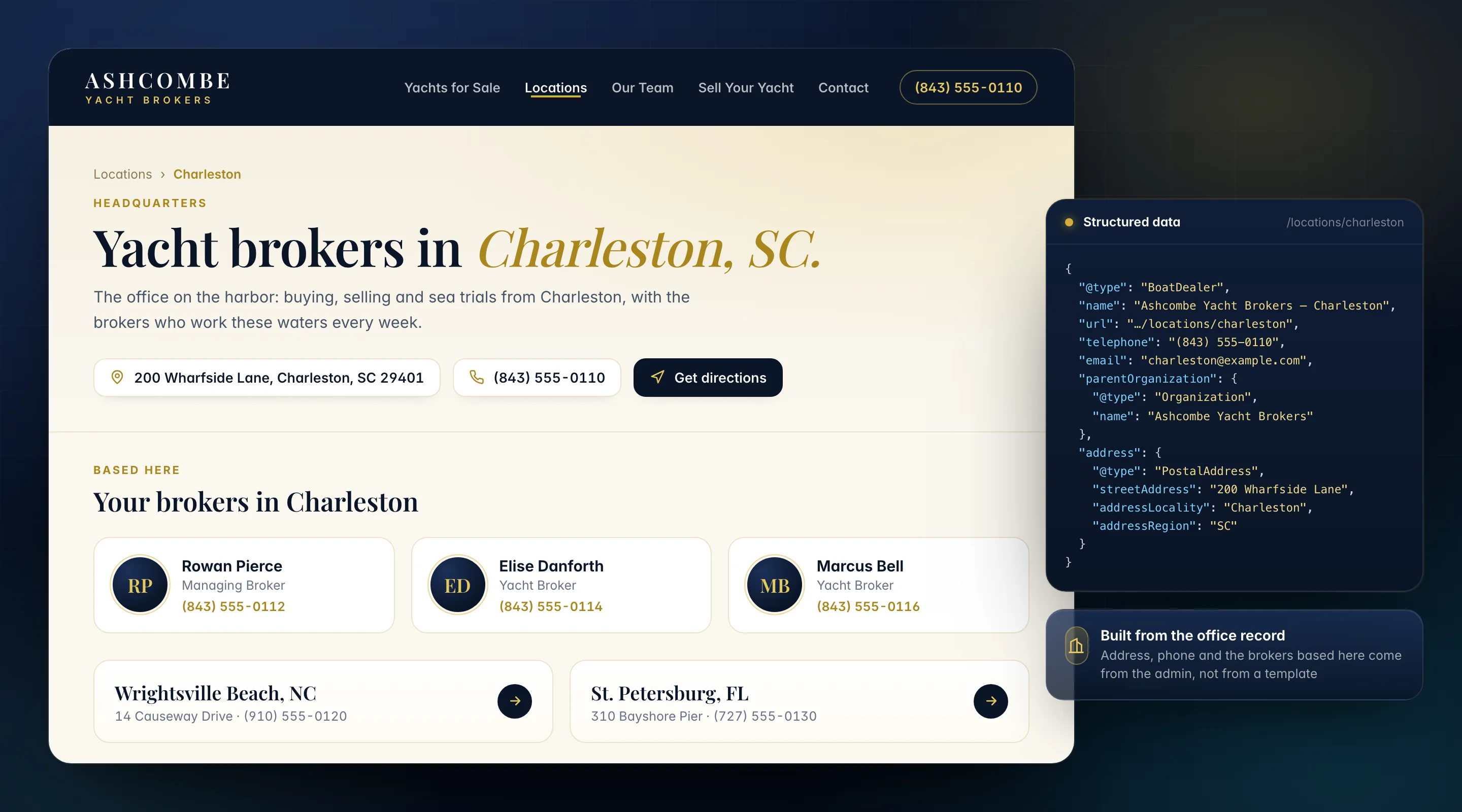
Four kinds of page, one clear hierarchy.
A buyer in Tampa and a seller in Wilmington should each land on the office near them, see who works there, and still search every boat the brokerage has. That takes a handful of page types, linked the way a visitor expects.
We build the office pages into your site’s design; how they look depends on your offices. The data behind them comes from the admin.
/locationsEvery office in one place
Each office with its town, address and phone, in the order you set in the admin.
/locations/charlestonOne page per office
Its own address, phone and email, directions, the brokers based there and links to the other offices.
/our-team/elise-danforthOne page per broker
Their active and sold listings, linked from their office's page.
/yachts-for-saleOne inventory for the whole brokerage
Every office's boats in one search, each listed where she is lying.
An office page, not a doorway page.
Google’s spam policies describe doorway abuse as pages “created to rank for specific, similar search queries” that “lead users to intermediate pages that aren’t as useful as the final destination.” A real office is the final destination.
A real office page
- A street address a client can drive to
- A phone that rings in that office
- The people who work there, with their own pages
- Directions, and links to your other offices
- Reached from one Locations page, like any other section
A doorway page
- Pages for towns where nobody works
- The same text with the town name swapped
- Every page funnelling to one contact form
- A second domain that repeats the first site
Google’s examples include “multiple domain names or pages targeted at specific regions or cities that funnel users to one page” and “substantially similar pages that are closer to search results than a clearly defined, browseable hierarchy.” Source: Google Search spam policies. For a market you cover without an office, the page says so plainly rather than inventing premises.
Change it once. The office page follows.
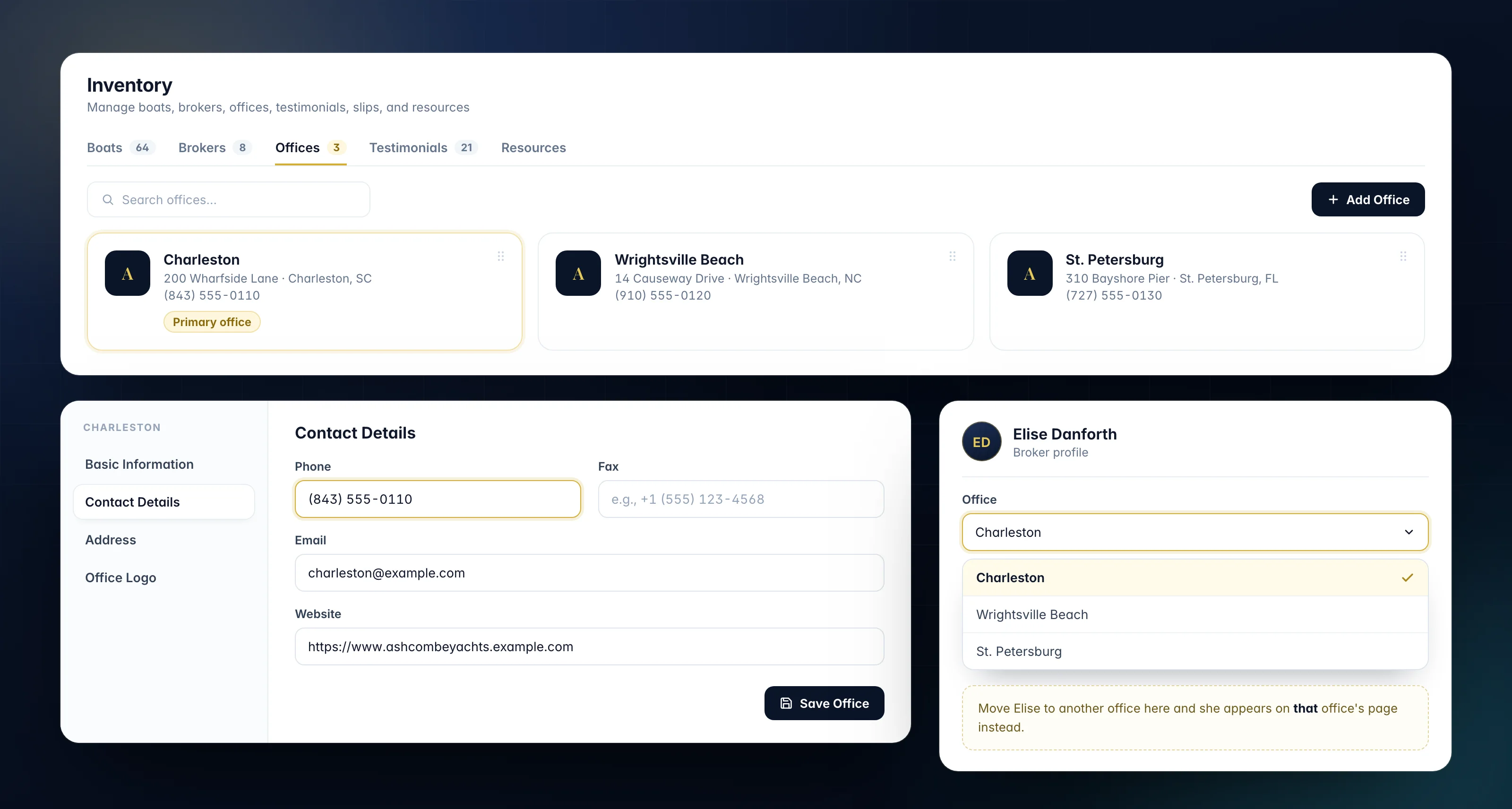
- 01
The office record
Name, phone, fax, email, website, address and logo, and which office is primary. Change the phone once and the office page follows.
- 02
Each broker's office
One field on the broker's profile. Move a broker to another office and they appear on that office's page instead.
- 03
The order
Drag the offices into the order they should be listed in.
Each level of the site describes itself.
Google’s local business documentation puts it in one line: “Define each local business location as a LocalBusiness type.” Its url, Google says, is “The fully-qualified URL of the specific business location.” One office, one page, one description of it.
Google’s LocalBusiness documentation- Every page
- Your brokerage as one business: name, phone, logo, and the towns you serve as areas served where you give them.
- An office page
- That office, with its own name, address and phone. A market you cover without premises is marked up as a place you serve, with no street address claimed.
- A broker page
- A Person who works for your brokerage, with their office's town.
- A boat page
- The boat itself: builder, model, year, price and availability. More on that under SEO for yacht brokerages.
Boat pages are covered in SEO for yacht brokerages, along with Google Business Profile rules for each office.
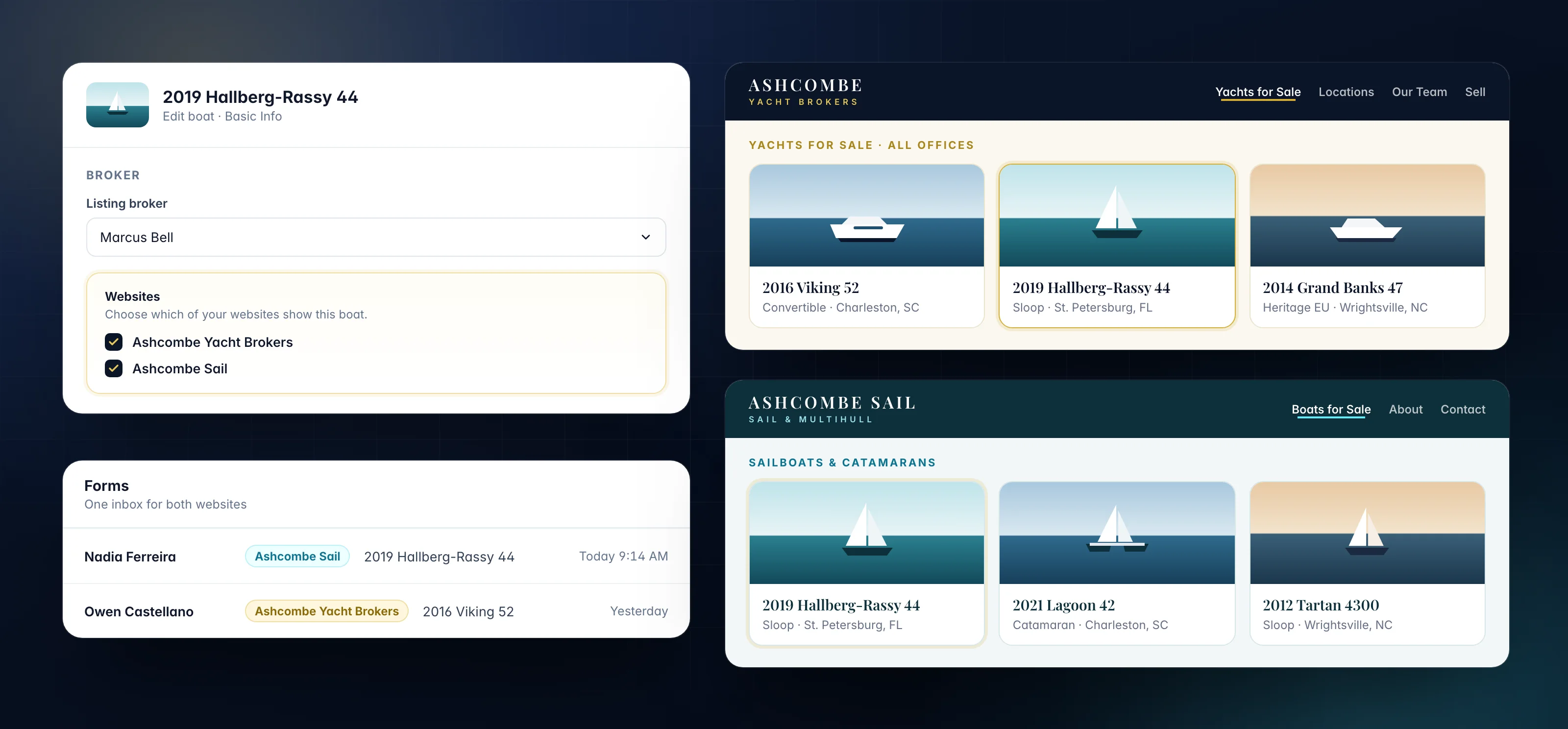
A second website, same admin.
Some parts of a brokerage sell to different buyers under a different name: a sail and multihull arm, a smaller-boats brand. That is a second website, which we set up with you.
One admin, one CRM
Both sites read the same inventory and send leads to the same forms inbox, each lead labelled with the website it came from.
You choose the boats per site
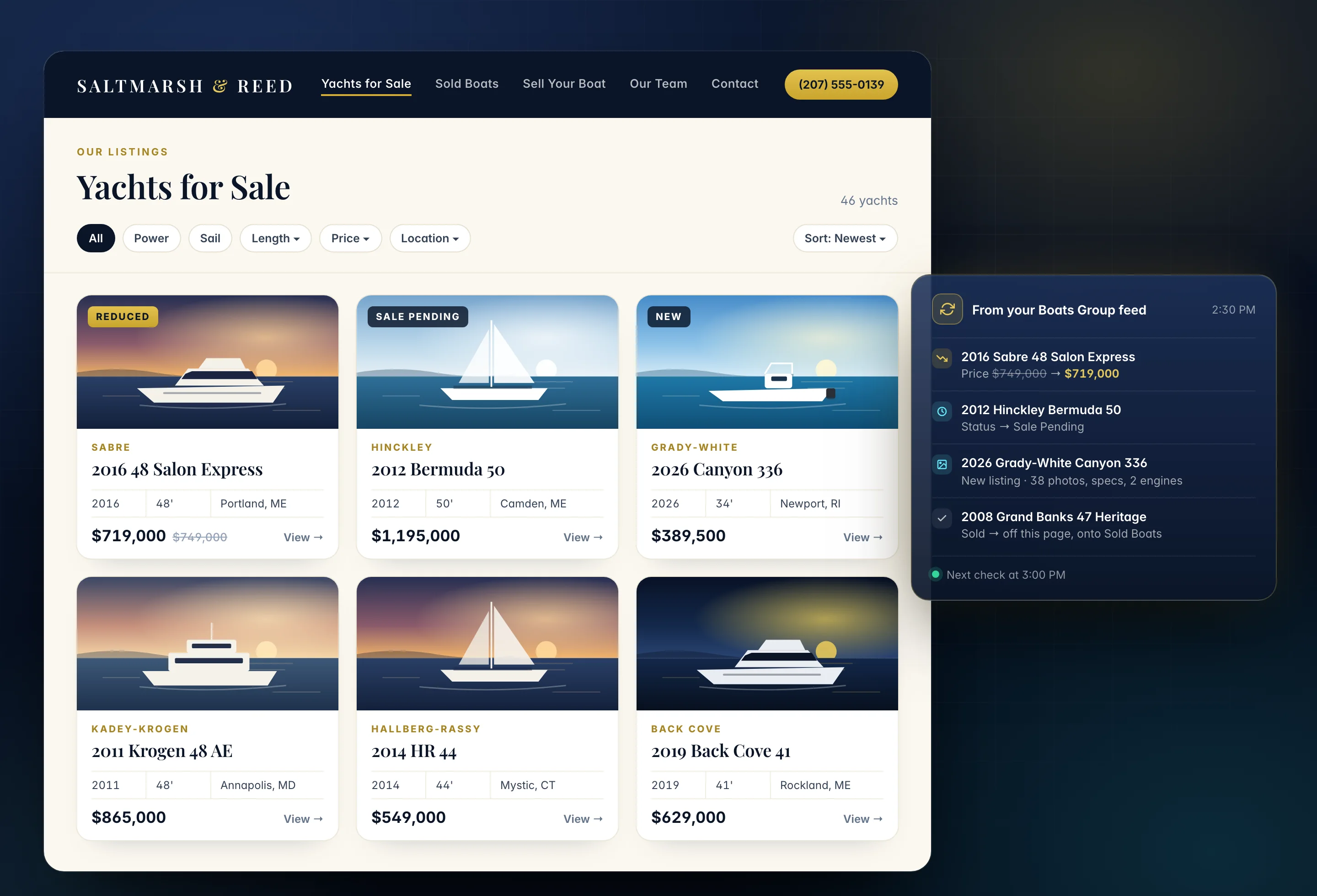
A “Websites” checkbox on each boat. Untouched boats stay on the main site; co-brokerage listings only ever appear there.
Or one team's listings, automatically
A site can show the listings of named brokers instead, with nothing to tick.
It has to earn its place: Google lists “multiple websites with slight variations to the URL and home page” as doorway abuse. Different buyers, different boats.
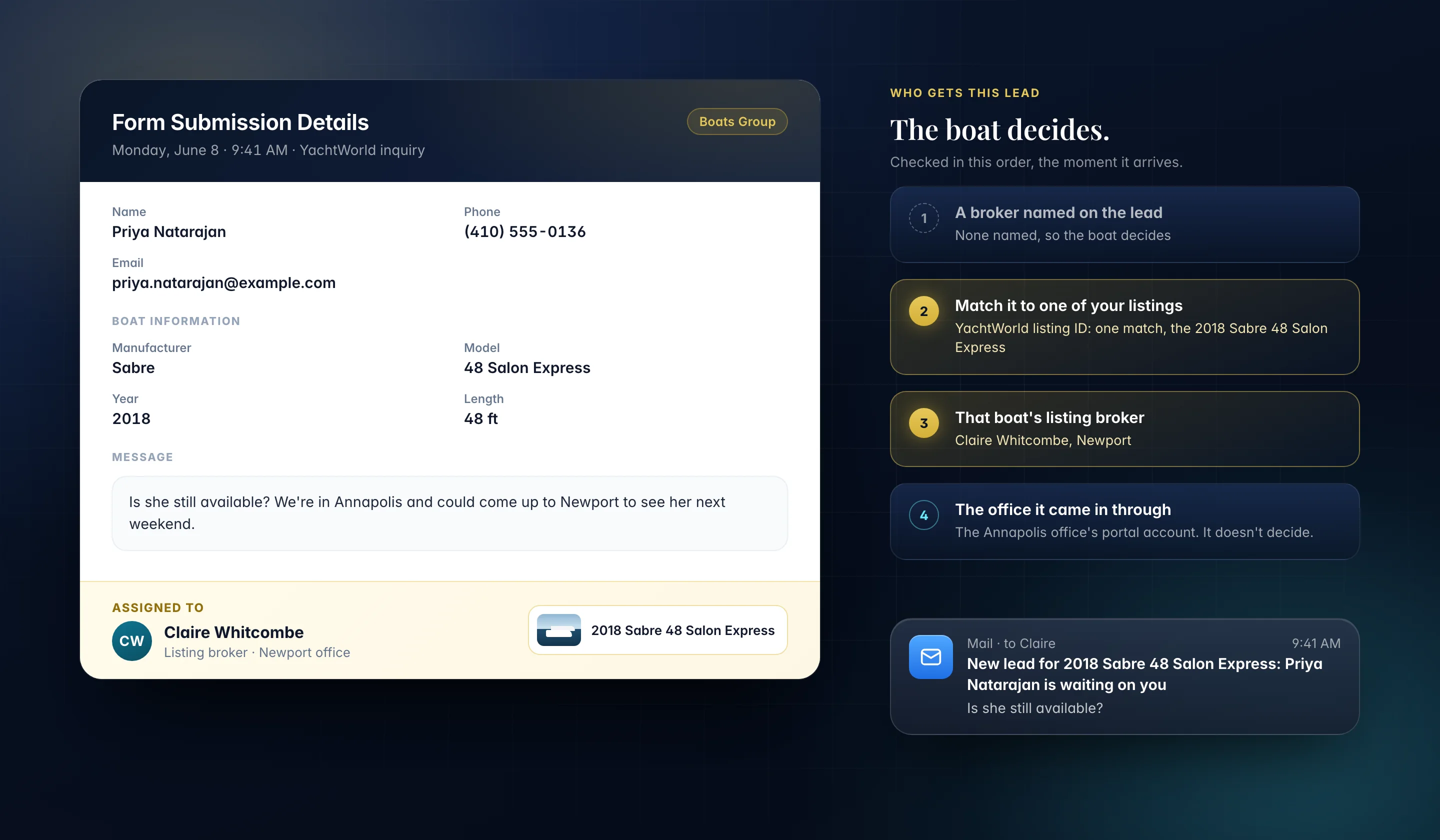
The office a buyer finds never decides who calls them back.
An inquiry follows the boat to its listing broker, whichever office’s page or portal account it came through. A general question with no boat waits for an admin to hand out.
Everything Else You Might Ask.
Should a yacht brokerage with several offices have a page for each office?
Yes, for every office that is a real place a client can call or visit. Each page gives a buyer or seller what the home page can't: that office's address and phone, the brokers who work from it, and directions.
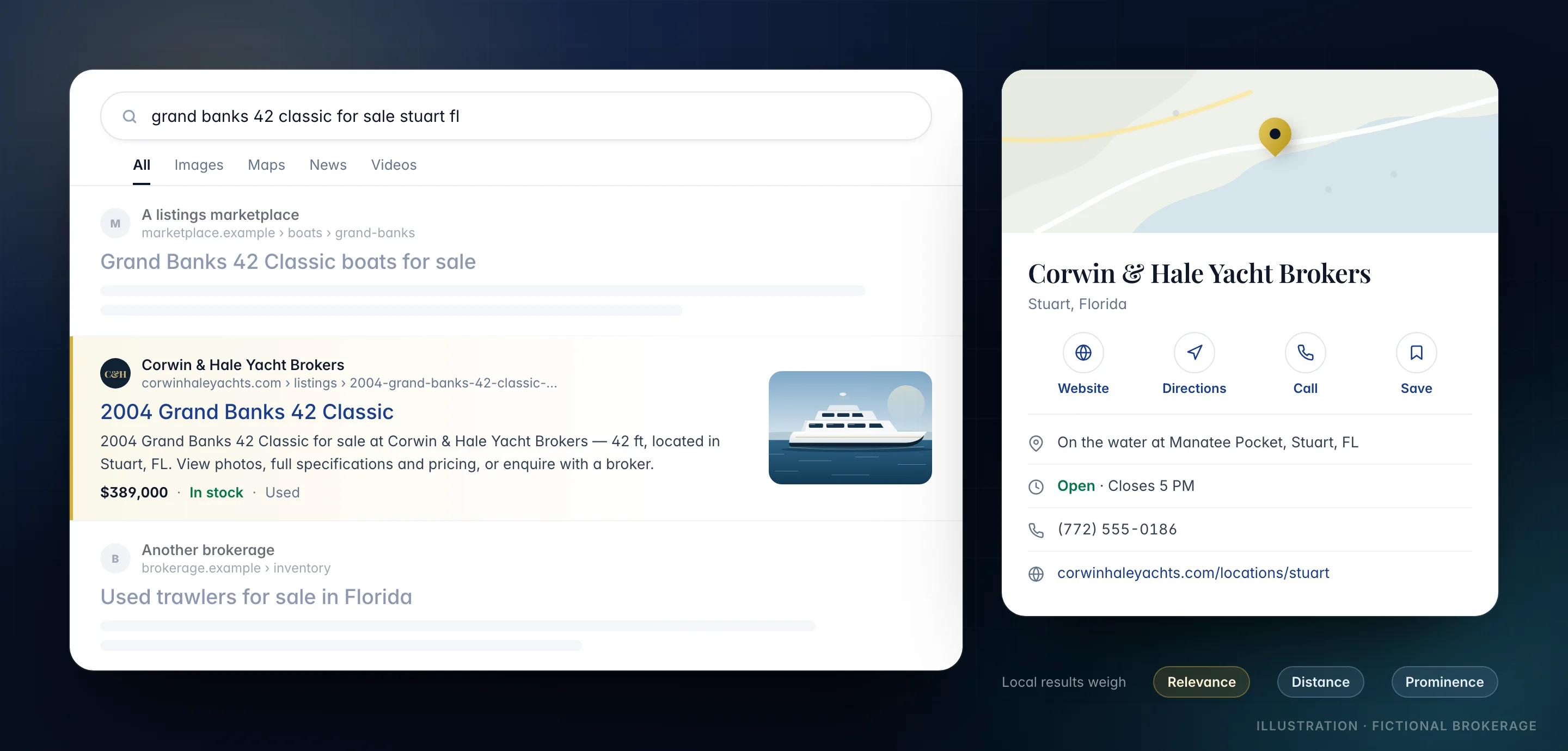
It is also the page that office's Google Business Profile should link to, rather than your home page.
What should a yacht brokerage office page include?
The office's own street address, phone and email; a way to get directions; the brokers based there, each linked to their own page; and links to your other offices.
On a YachtOne site those come from the office record and from each broker's office in the admin, so the page changes when the office does and needs no separate editing.
We cover a market with a broker but no office. Can it have a page?
It can, as long as the page says what it is: a market you cover, not an office. The sites we have built this way say there is no office to visit there, publish no street address, and mark the page up as a place the brokerage serves rather than as another premises.
What to avoid is a page per town that differs only in the town name. Google's spam policies list “pages targeted at specific regions or cities that funnel users to one page” as doorway abuse.
How should a multi-office brokerage use LocalBusiness structured data?
Google's documentation says to “Define each local business location as a LocalBusiness type”, and describes the url property as “The fully-qualified URL of the specific business location.” In practice that means one page per office, each carrying its own markup.
A YachtOne site describes the brokerage as one business across every page, with the towns you serve listed as areas served where you give them. An office page we build adds that office's own name, address and phone. Broker pages carry Person markup that names the brokerage they work for and their office's town.
Can one brokerage run two websites from the same admin?
Yes. A second website, for a separate brand or a part of the business with its own buyers, runs from the same admin and the same CRM. Leads from both arrive in one forms inbox, each labelled with the website it came from.
We set the second site up with you; it is not a switch in the admin. Google lists “multiple websites with slight variations to the URL and home page” as doorway abuse, so the second site should serve a different audience with different boats, not repeat the first.
How do we choose which boats appear on which website?
Once a brokerage has more than one website, each boat in the admin gets a “Websites” field with a checkbox per site. A boat with none ticked shows on your main site only.
A website can instead show one broker's or one team's own listings automatically, with no ticking at all. Co-brokerage listings appear on the main site only.
Do leads go to the office they came in through?
No. A lead follows the boat to its listing broker, wherever that broker sits. The office whose page or portal account the buyer used never decides who gets it.
That ends the usual multi-office argument about whose account a lead arrived on. The full rule is on the lead routing page.
How do we move a broker to another office?
Change the Office field on the broker's profile in the admin. They then appear on the new office's page instead of the old one, and their own page's markup names the new office's town. Their listings and contacts don't change.
What does a multi-office brokerage website cost?
The Website plan is $350 a month and includes broker pages with each broker's active and sold listings; building the site costs nothing extra. Website + CRM is $500 a month, and Full Platform, with a private login for every broker, is $850 a month.
Multi-office builds and second websites vary with what each office needs, so we quote them. See Enterprise & Custom on the pricing page.
More problems we solve
Welcome to the First End-to-End Yacht Sales Operating System
We've built the only platform designed specifically for how yacht sales actually happen. From the moment a visitor lands on your site—they never leave your ecosystem.