Listing Broker on Vacation or at Sea? The Buyer Still Gets a Call Back.
A buyer asks about a boat while the broker who holds the listing is on a delivery, at a show or finally taking a week off. In YachtOne the lead stays with the listing broker, the receptionist answers the office line and takes the message, every admin sees it arrive, and the sales manager can put a colleague on the buyer with the history in front of them.
- The lead stays with the listing broker
- Admins see every new lead
- A colleague is added, never swapped in
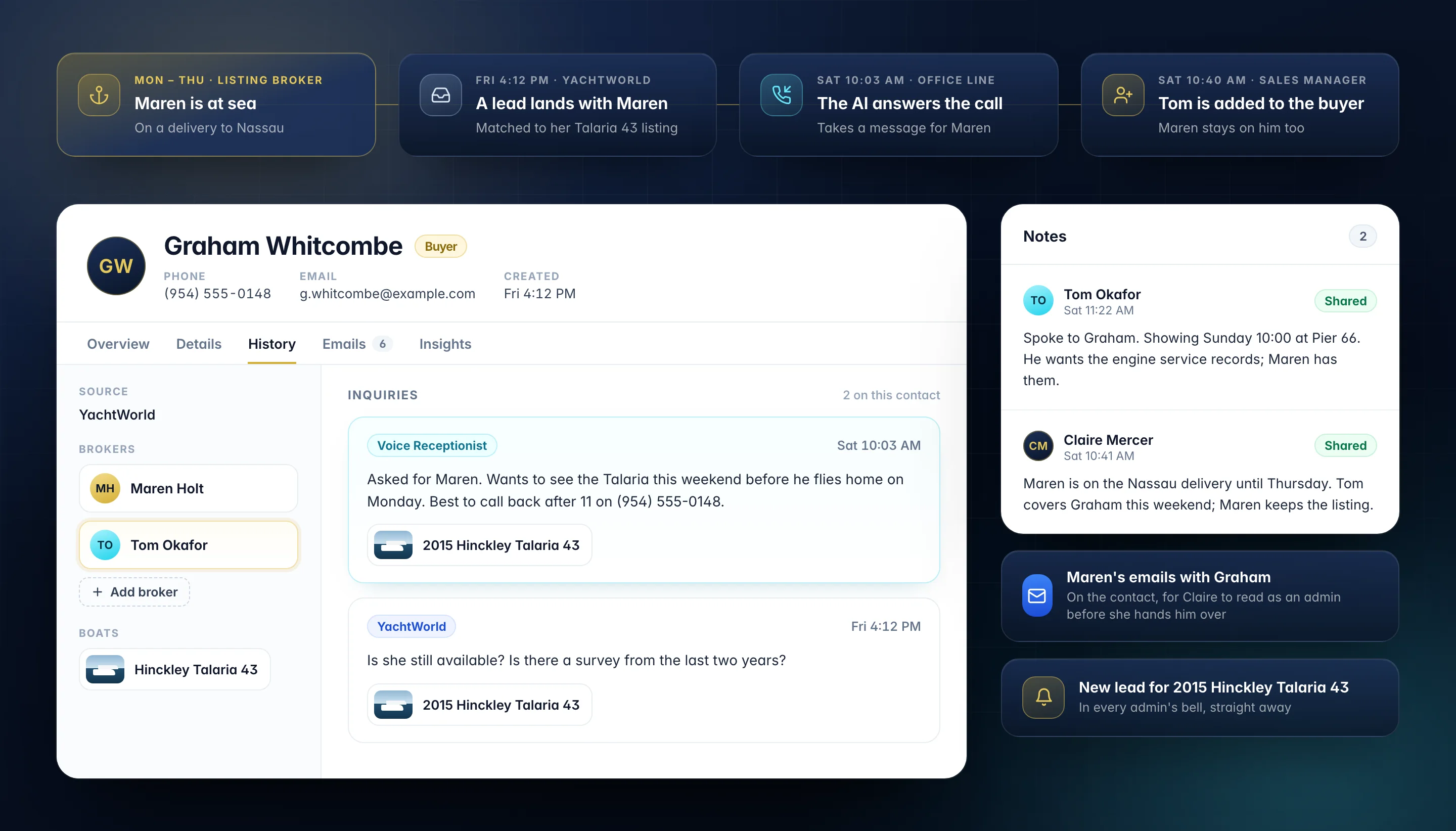
One buyer, one away broker, hour by hour.
The listing broker is delivering a client’s boat to Nassau. Nobody is reassigned and nothing is guessed. The lead waits in the right place, and the people who can act on it can see it.
The names are invented. The screens, the emails and who can see what are exactly how YachtOne works.
- Friday, 4:12 PM
A portal lead goes to the listing broker
A YachtWorld inquiry about the Talaria 43 is matched to the boat and lands with Maren, who holds the listing. Her email reads “New lead for 2015 Hinckley Talaria 43: Graham Whitcombe is waiting on you.” She is at sea until Thursday.
- Saturday, 10:03 AM
Nobody picks up. The receptionist does.
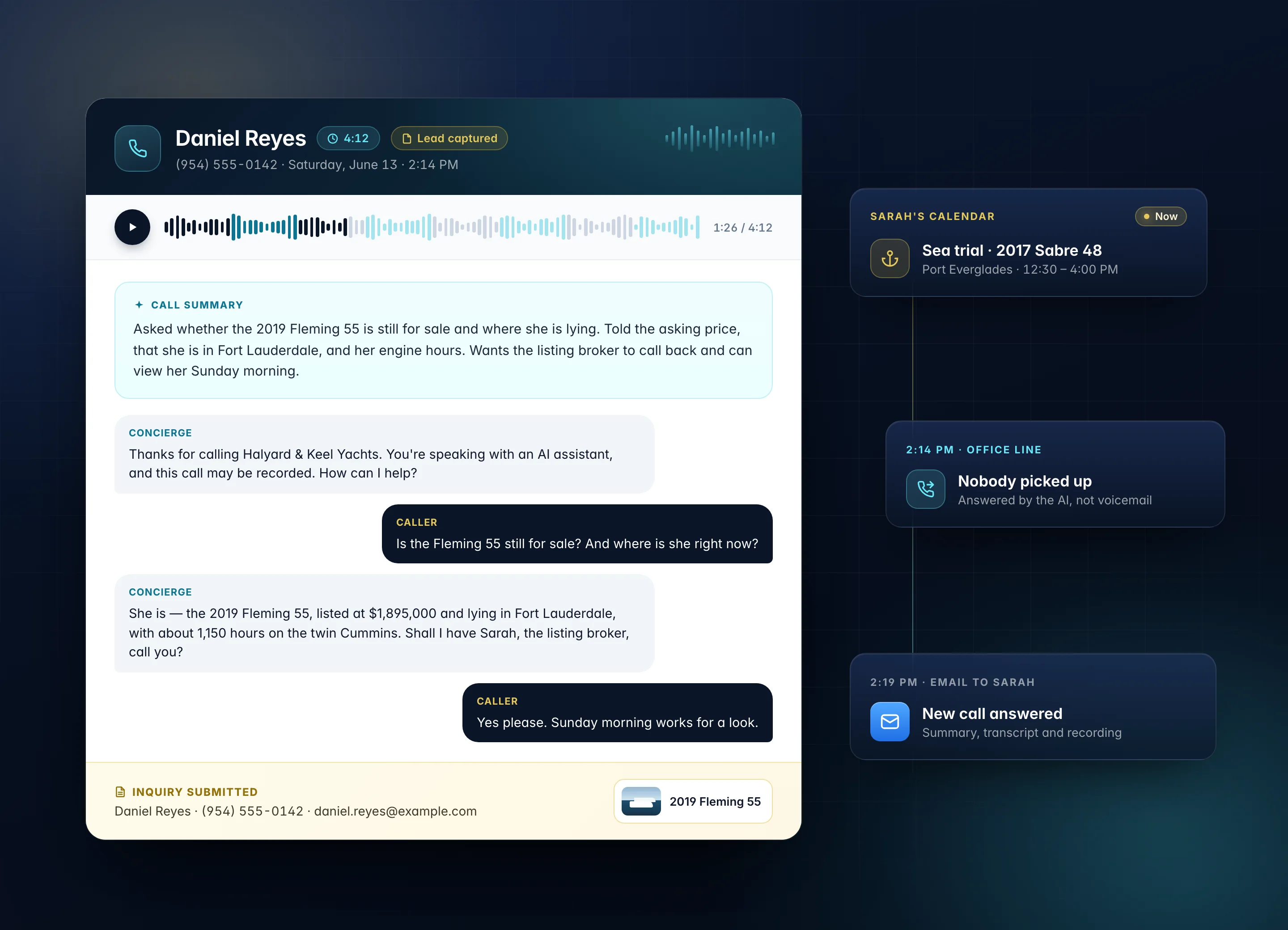
Graham rings the office. The AI receptionist answers from the live listing, says it is an AI, and takes his name, number and what he wants. He asked for Maren, so the message is filed for her.
- Saturday, 10:03 AM
Every admin sees it arrive
The new lead shows in each admin's notifications at once, and the office's notification address gets a summary of the call with its transcript.
- Saturday, 10:40 AM
The sales manager reads up and adds a colleague
Claire, an admin, opens Graham's contact: both inquiries, Maren's emails with him, and the recording in the call log. She adds Tom to the contact. Maren stays on it.
- Saturday, 11:22 AM
The colleague calls back and writes it down
Tom now sees Graham and both inquiries. He calls, books a showing for Sunday and leaves a shared note. Email he sends from the contact goes out from his own mailbox and is logged there.
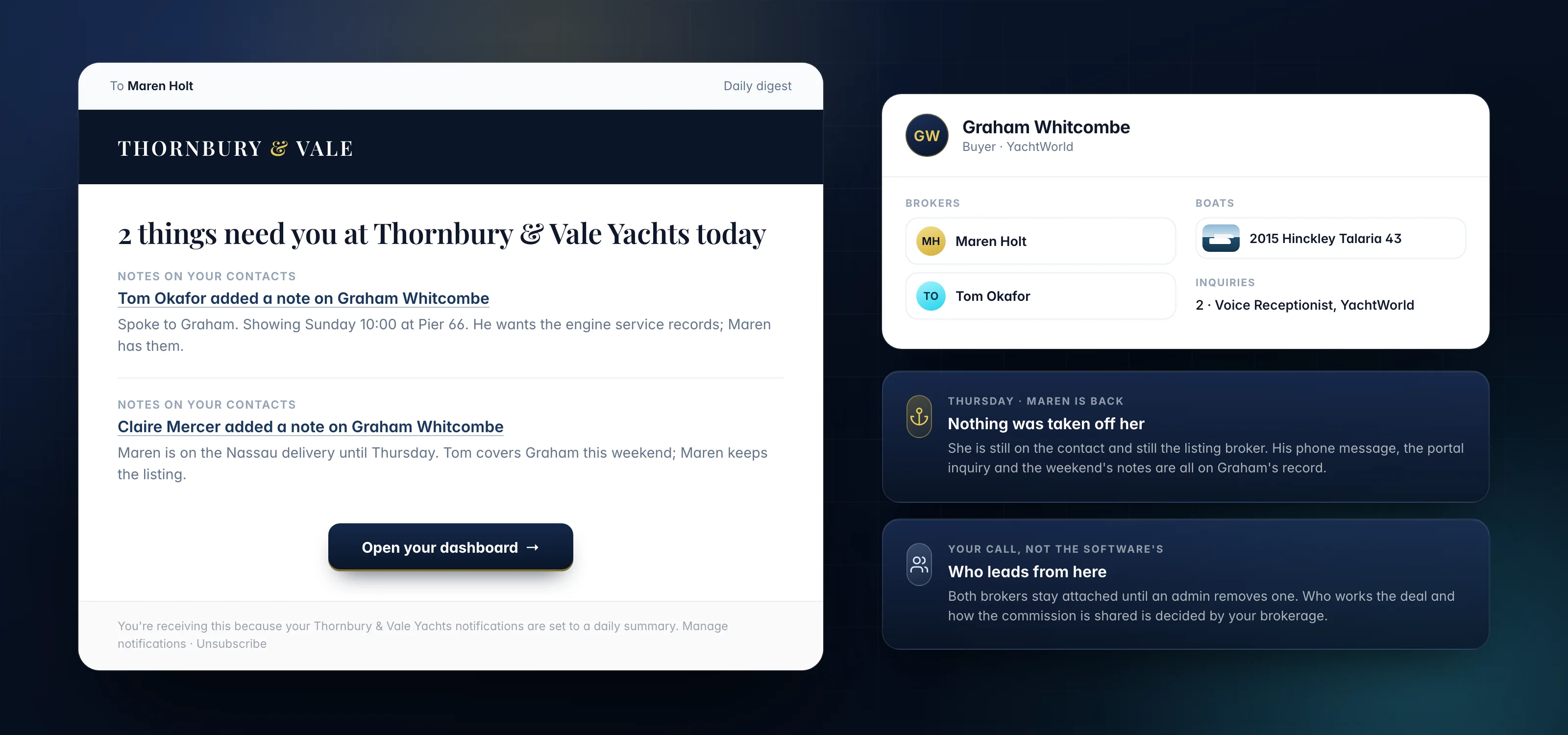
- Thursday
The listing broker comes back to a record
Maren's daily summary lists the notes added to her contacts. Graham's record has his phone message, the portal inquiry and Tom's note, and she is still the listing broker.
A colleague can pick up the buyer, not read the listing broker’s inbox.
Cover only works if the person covering can see enough. Here is exactly what each login sees on the buyer’s record.
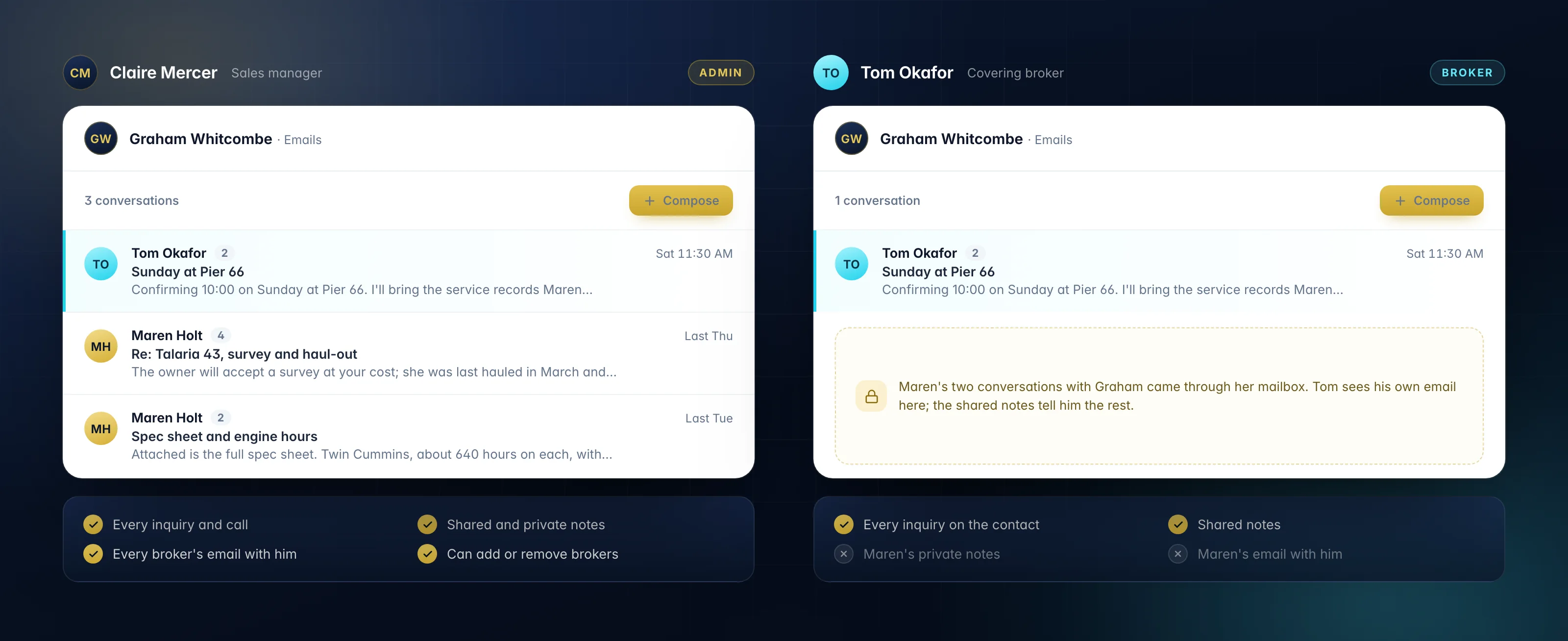
| On the contact | Admin | Broker added to the contact | Any other broker |
|---|---|---|---|
| The buyer's contact and every inquiry on it | Yes | Yes, once added | No |
| Shared notes | Yes | Yes | No |
| Private notes | Everyone's | Only their own | No |
| Email logged from a broker's own mailbox | Every broker's | Only their own | No |
| The receptionist's recording, transcript and summary | Yes, in the call log | No | No |
| Adding or removing brokers on a contact | Yes | No | No |
Separate broker logins are on the Full Platform plan. On Website + CRM there is one admin login, so whoever covers signs in to it and sees everything. Email history depends on the broker’s Outlook being connected; see Yacht CRM with Outlook.
Four settings that make cover work.
None of this is automatic, on purpose. It is a few minutes in the admin, once.
- 1
Admins: have new leads emailed
Every new lead already appears in an admin's notifications. Set “New leads for the brokerage” to Instant under Settings and it arrives by email too, so nothing waits for someone to open the app.
- 2
Share the notes a colleague will need
Notes are Private unless marked Shared. The owner's bottom line can stay private; showing instructions and where the keys are should not.
- 3
Decide where the receptionist sends callers
It can put callers through to the broker they ask for or the boat's listing broker, to a general line you choose, or take a message. It files the caller's details before it puts anyone through.
- 4
Name the cover in your own policy
YachtOne will not pick a backup broker. Whoever runs the floor adds the colleague to the buyer's contact, and takes them off again when the listing broker is back, if that is your rule.
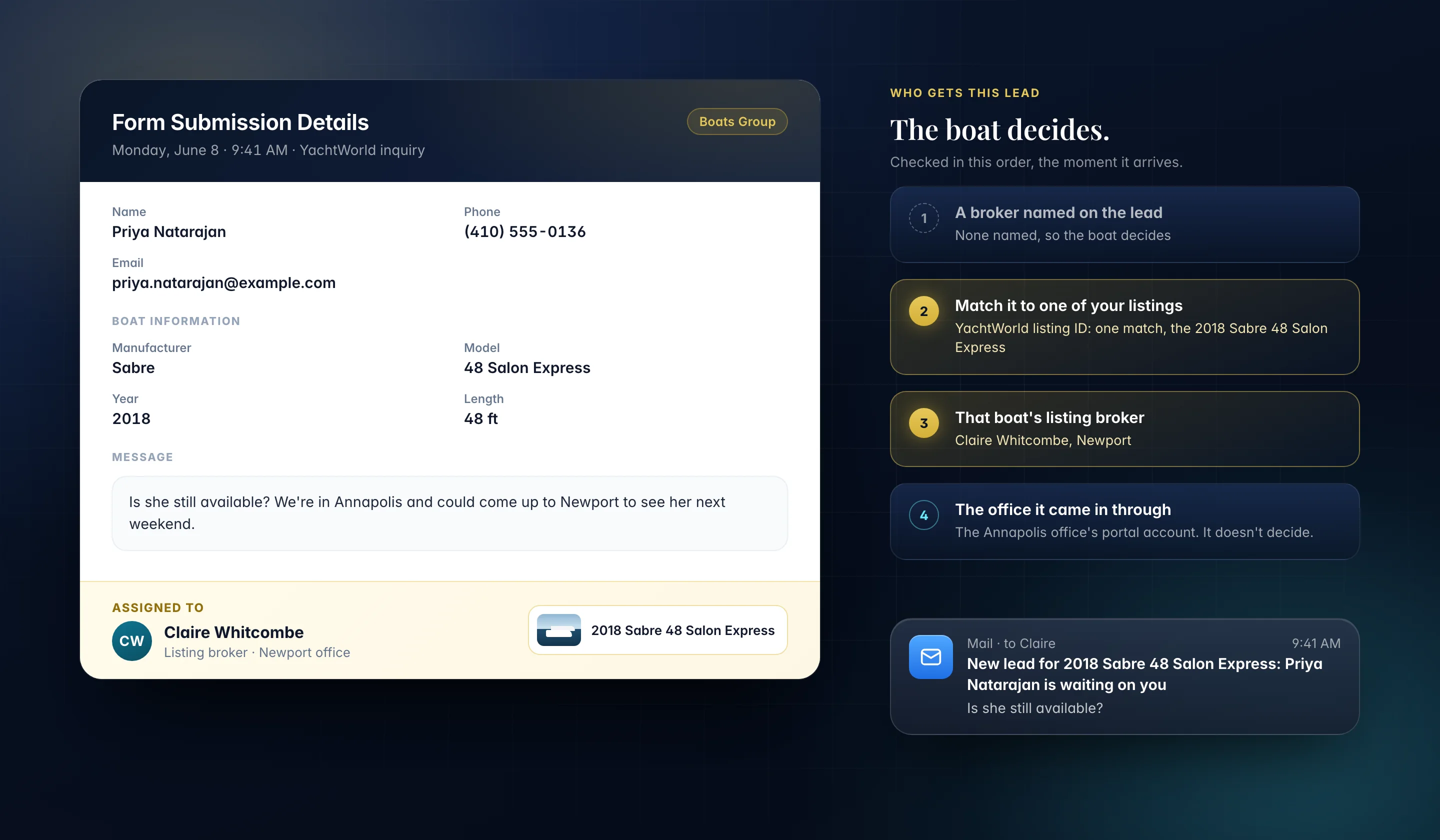
How each lead finds its broker in the first place is on lead routing for yacht brokerages; what the receptionist does on a call is on the answering service for yacht brokers.
The listing broker catches up in one email and one record.
Nothing was taken off them
The listing stays theirs, every future inquiry about the boat still comes to them, and they are still on the buyer's contact.
A short summary, not a pile of voicemails
When a colleague adds a shared note to one of their contacts, they hear about it in a daily summary by default, or at once if they prefer.
The facts for the conversation about the deal
Each inquiry with its date and source, and each note with who wrote it and when. Who leads from here, and how any commission is shared, is your brokerage's call.
Everything Else You Might Ask.
What happens to a buyer inquiry when the listing broker is on vacation?
It still goes to the listing broker. YachtOne matches the inquiry to the boat and gives it to the broker who holds that listing, whether they are at their desk or not, and they get an email and an in-app notification.
What changes is who else can see it. Every admin sees each new lead in their notifications as it arrives, can read everything on the buyer's contact, and can add a colleague to the contact to call the buyer back. The listing broker stays on it.
Does YachtOne automatically reassign leads to a backup broker?
No. There is no away status, no backup-broker setting and no rotation. A lead that belongs to a listing broker stays with them, and nothing moves a buyer to someone else behind their back.
Cover is a person's decision: an admin adds the covering broker to the buyer's contact. That is one click on the contact, and it adds a broker rather than replacing one.
Can the covering broker read the listing broker's emails with the client?
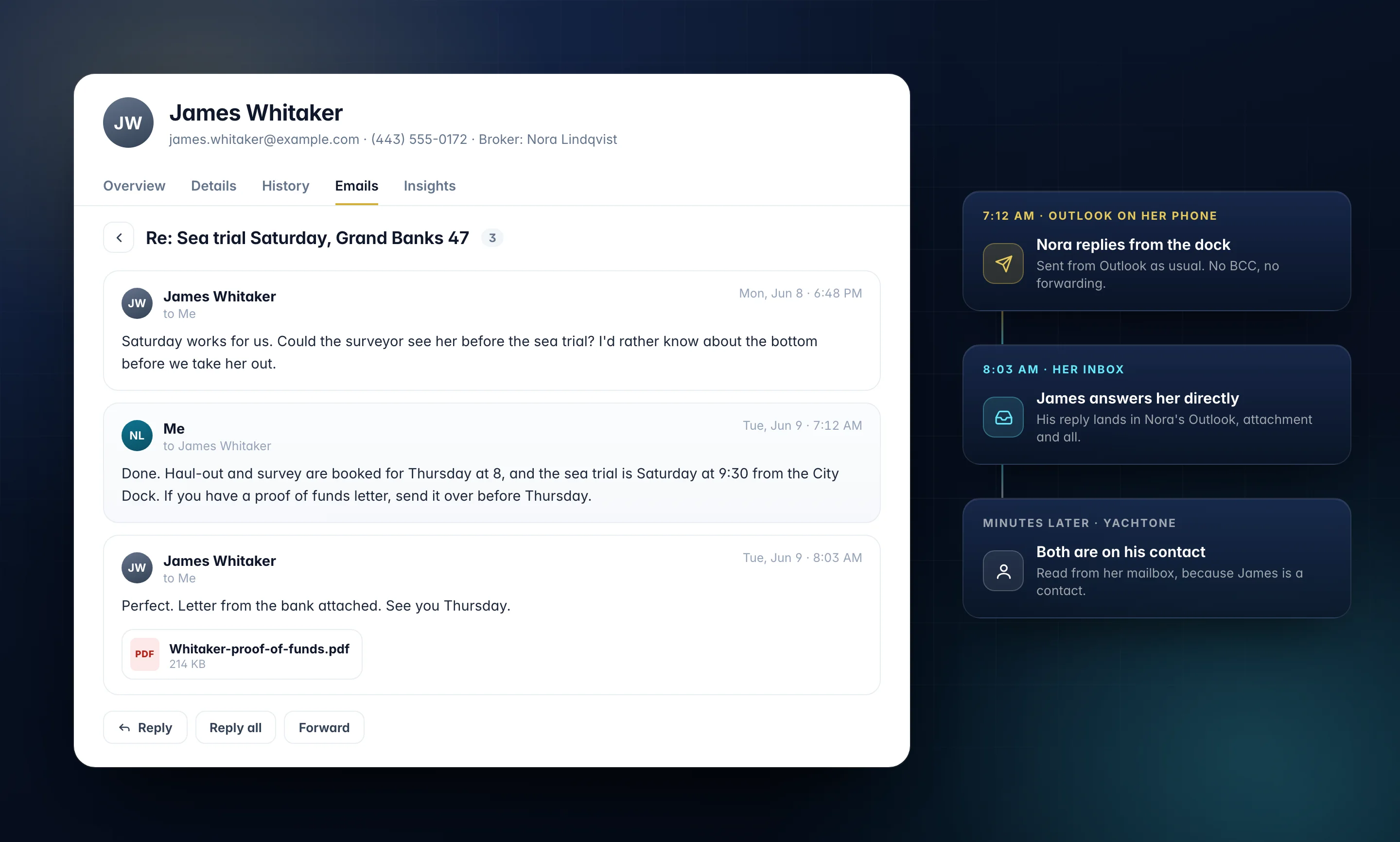
No. Email logged from a broker's own mailbox is visible to that broker and to your admins, like a note on the contact. Other brokers cannot see it, including one who has been added to the contact.
That is why the handover runs through an admin and shared notes. The sales manager can read the whole thread before handing the buyer over, and the covering broker sees every inquiry on the contact and every note marked Shared.
Who answers the phone when the listing broker is out on a sea trial or a delivery?
With the AI Receptionist, calls nobody at the office picks up are answered instead of going to voicemail. It answers questions about the boat from your live listings, says it is an AI, and takes the caller's name, number and what they want.
It can then put the caller through to the broker they ask for or the boat's listing broker, to a general line you choose, or simply take a message, depending on how your line is set up. Before it puts anyone through, it files the caller's details, so the message exists even if nobody answers.
Does the AI receptionist know the broker is away?
It does not read anyone's calendar. If a caller asks for the broker who is away, it tries to put them through or takes a message for them, depending on how your line is set up. Either way the caller's details are filed for that broker first.
Does adding a covering broker change who the listing broker is?
No. The listing broker is set on the boat; covering is set on the buyer's contact. Adding a colleague to the contact lets them see and work that buyer. The listing, and every future inquiry about that boat, stays with the listing broker.
How does the listing broker catch up when they're back?
Everything is on the buyer's contact: the phone message, the portal inquiry, the colleague's shared notes, and any email the colleague sent from the contact. Nothing was moved off it.
When a colleague adds a shared note to one of their contacts, the listing broker is told: by default once a day, in a short summary email. Each person can change that to instant or off under Settings.
Who gets the commission if the covering broker shows the boat?
Whatever your brokerage's policy or agreement says. YachtOne does not decide splits.
What it gives you is the record: every inquiry on the buyer's contact with its date and source, the shared notes with who wrote them and when, and the email each broker sent. That is what a fair split is usually argued on. This is general information, not legal advice.
What does covering for an away broker cost in YachtOne?
Separate logins for each broker, so a colleague can be added to a buyer, are on the Full Platform plan at $850 a month. The Website + CRM plan ($500 a month) captures and routes every lead but has one admin login, so whoever covers signs in to that.
The AI Receptionist is an add-on at $150 a month with 750 minutes included.
More problems we solve
Welcome to the First End-to-End Yacht Sales Operating System
We've built the only platform designed specifically for how yacht sales actually happen. From the moment a visitor lands on your site—they never leave your ecosystem.